Check Work Time
Check Work Time in EspoCRM is available in Ebla Admin Pro.
This feature restricts user access to the CRM based on the configured Working Time Calendar and ensures that system access is aligned with defined working schedules.
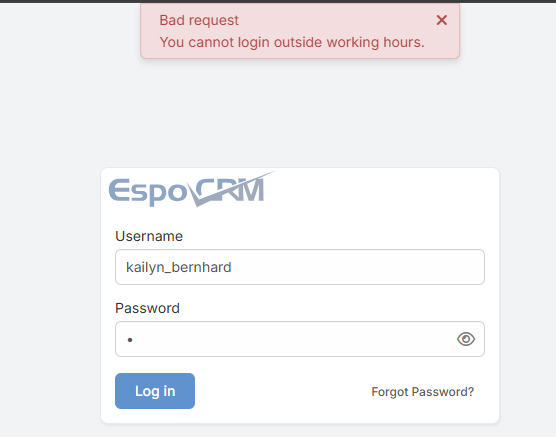
Description
The Check Work Time feature controls when users are allowed to access the CRM according to the assigned Working Time Calendar. Users can only log in during their configured working hours. This helps organizations enforce security policies, prevent unauthorized after-hours access, and support proper work-time management.
In addition to login restriction, the system continuously validates the user's working time during an active session. If a user remains logged in and their working hours end, the system will automatically log the user out.
Usage
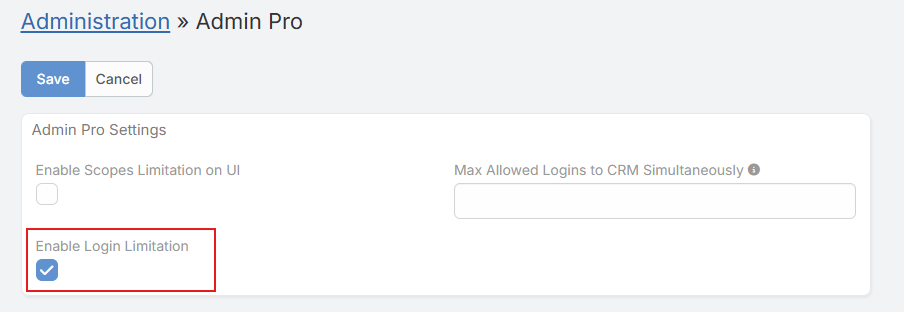
- Go to Administration > Admin Pro settings.
- Enable the Enable Login Limitation option.
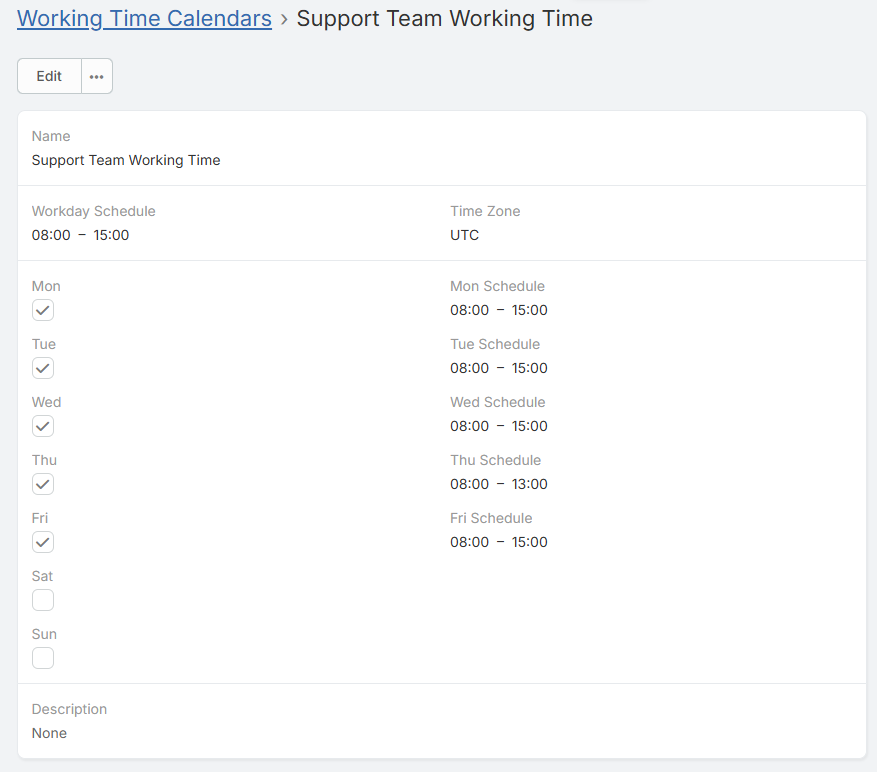
- Make sure a Working Time Calendar is properly configured and assigned.
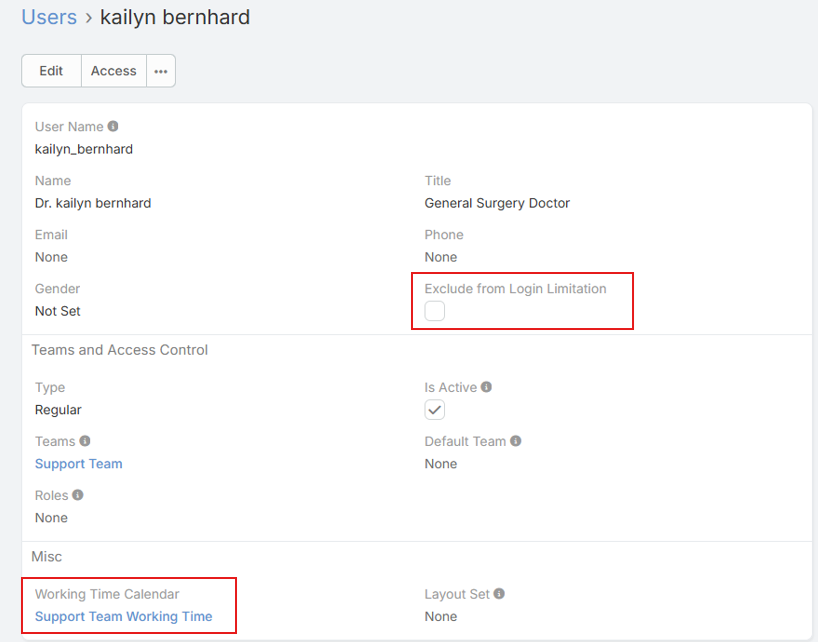
- (Optional) To exclude specific users from this restriction: - Go to Administration > Users. - Open the desired user record. - Enable the Exclude From Login Limitation checkbox.
- Save the settings.
Automatic Logout Behavior
- If a user is actively working in the CRM and their configured working time ends, the system will automatically log the user out.
- This ensures that access is always limited strictly to the allowed working period, even if the session started earlier.
Timezone Configuration (Important)
- The Working Time Calendar relies on the user’s configured timezone.
- Make sure the working time calendars timezone and system timezone are correctly set to match the user’s actual working hours.
- Incorrect timezone configuration may cause users to be logged out earlier or allowed access outside their intended schedule.
Notes
- Administrator users are automatically excluded from this limitation.
- Portal users are automatically excluded from this limitation.
- The feature applies only to regular user accounts unless explicitly excluded.