Ebla References 
Create custom auto-generated reference numbers for any entity and link them automatically when mentioned.
The Ebla References Numbers extension allows you to generate unique, readable reference codes (e.g., PRJ-1234) for any entity in EspoCRM.
Those references can be tagged into the stream. When a reference number is mentioned in a post (e.g., "Regarding #PRJ-1234"), it is automatically converted into a link to the related record.
Extension Video
Use Cases
- Support Tickets – Generate ticket IDs (e.g.,
TKT-001) to easily reference customer issues in emails and chats. - Project IDs – Assign unique project codes for better communication among team members tasks tracking.
- Internal Documents – Tag documents with unique IDs to cross-reference them in notes and discussions.
- Event Registrations – Assign registration codes to attendees for easy check-in and follow-up.
- Marketing Campaigns – Track campaign elements with unique codes for better organization.
- Custom Workflows – Use reference numbers in custom workflows to link related records seamlessly.
Key Features
- New Field (Number Plus): Adds a new
NumberPlusfield type to Entity Manager, can be added to any entity. - Flexible Formatting: Configure prefix, length, and character patterns (Digits, Letters, or Mixed).
- Autocomplete: Type
#in Stream to search and insert reference numbers.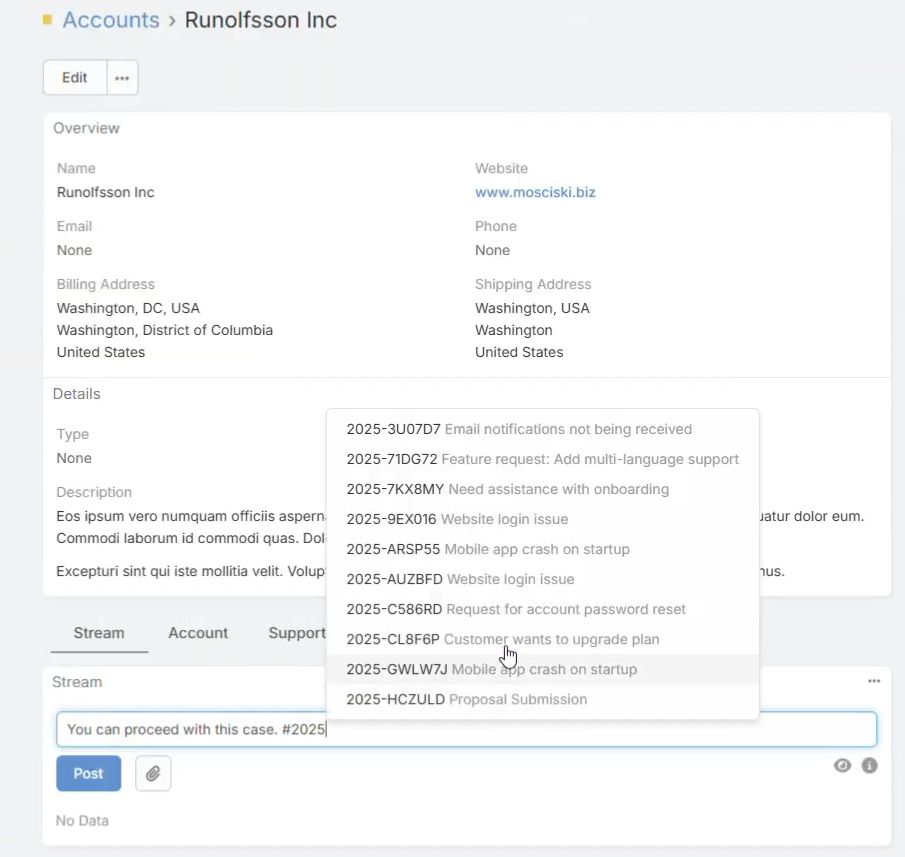
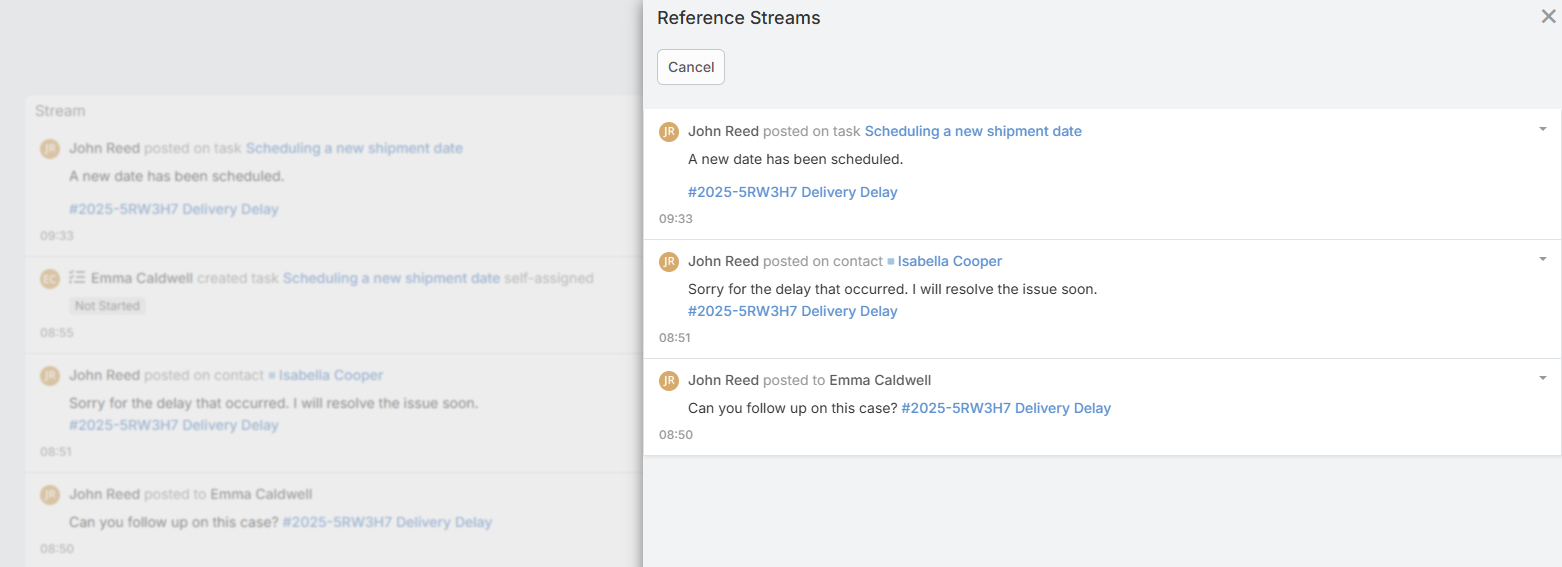
- Show Related Posts: Click on a reference number in the stream to view all posts mentioning it.
Configuration
To start using reference numbers, you need to add NumberPlus field to an entity in field manager. Codes will be generated automatically when a new record is created. Then you can mention those references in stream posts.
Adding a Reference Field
- Go to Administration > Entity Manager.
- Select the entity you want to add a reference to (e.g., Case or Project).
- Click Fields and then Add Field.
- Select
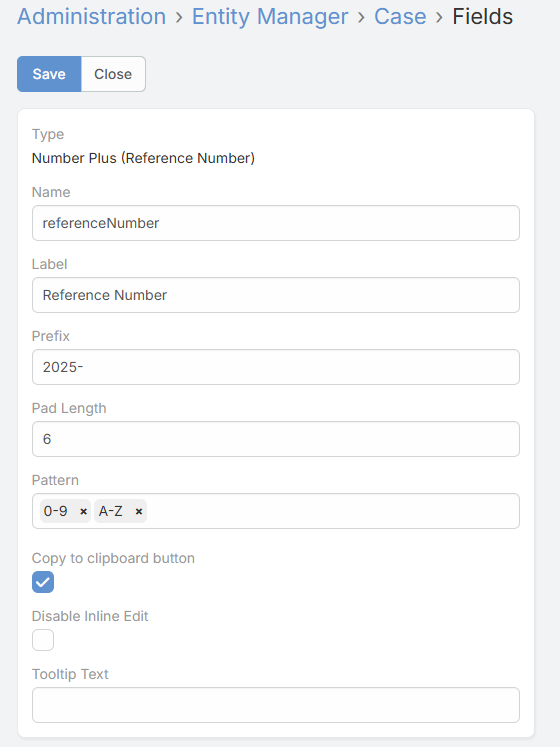
NumberPlusas the type. - Configure the field parameters:
- Prefix: The string to appear before the number (e.g.,
ABC-). - Pad Length: The number of characters for the random part (e.g.,4results in0123). - Pattern: Choose the character set for the random part: -0-9(Digits only) -A-Z(Letters only) - Copy to clipboard: Enable to show a copy button next to the field value. - Click Save.
- Add the new field to the entity's Layouts (Detail and List views).
Using References
- Generation: A unique number is automatically generated when a new record is saved.
- Mentioning: In a Stream Post, type
#followed by the prefix or number to search references. - Linking: Posting a comment containing a reference number will automatically link that post to the referenced record.
- Viewing Related Posts: Click on any reference number in the stream (e.g.
[#REF-1234]) to open a modal showing all stream posts mentioning that reference.
Support
If you need help with this extension, please contact Eblasoft Support.