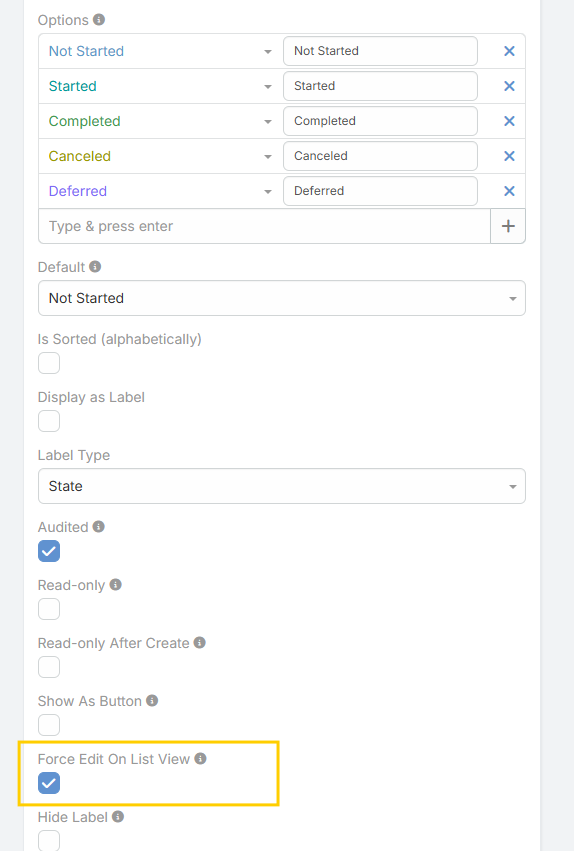
Force Edit on List View
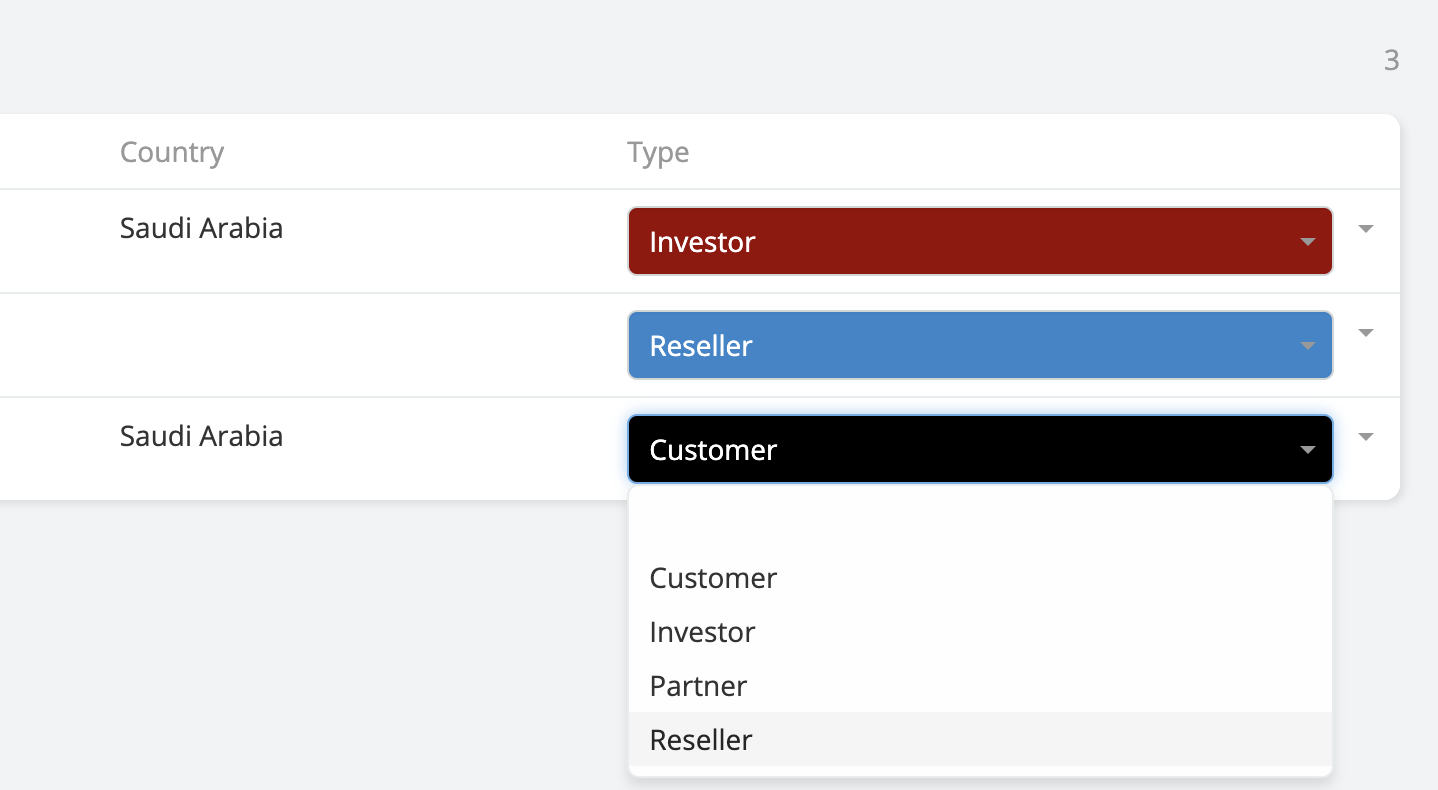
Edit Enum and Multi-Enum fields directly from the List View without opening the record.
This feature allows you to update field values inline by transforming the List View cells into interactive controls, significantly improving speed and productivity when working with large datasets.
- Availability : Included in Ebla Enum Plus.
- Supported Fields : Enum & Multi-Enum.
- Behavior: The field becomes editable directly in the List View, allowing quick selection of options with a single click.
- Use Case: Ideal for bulk status updates, priority changes, or workflow-driven data where frequent edits are required.
Enable Force Edit on List View
Go to Administration → Entity Manager → {Entity Type} → Fields.
Select the desired Enum or Multi-Enum field.
Enable the Force Edit on List View option.
Save the field settings.
Once enabled, the field will be editable directly from the List View.
Force Edit on List View is available
Enable Force Edit on List View
- Go to Administration -> Entity Manager -> {Entity Type} -> Fields .