Row coloring based on enum fields
Row Coloring Based on Enum Field
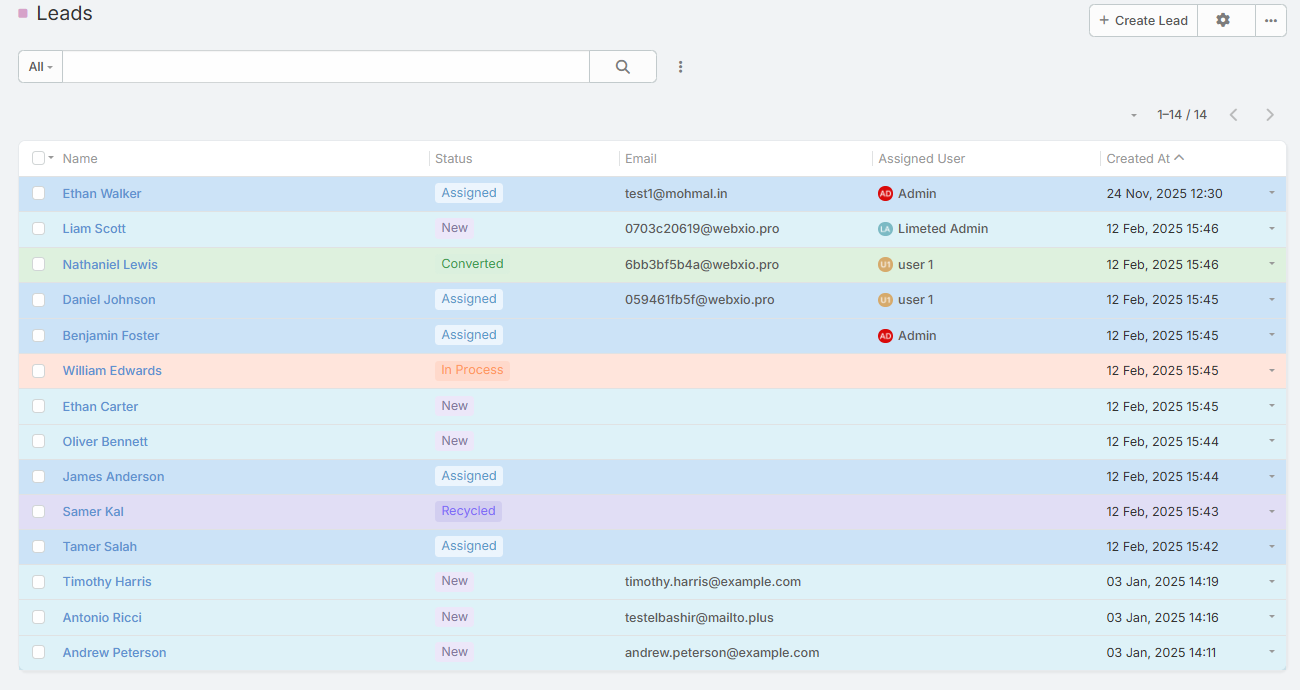
Automatically color List View rows based on the selected Enum field values.
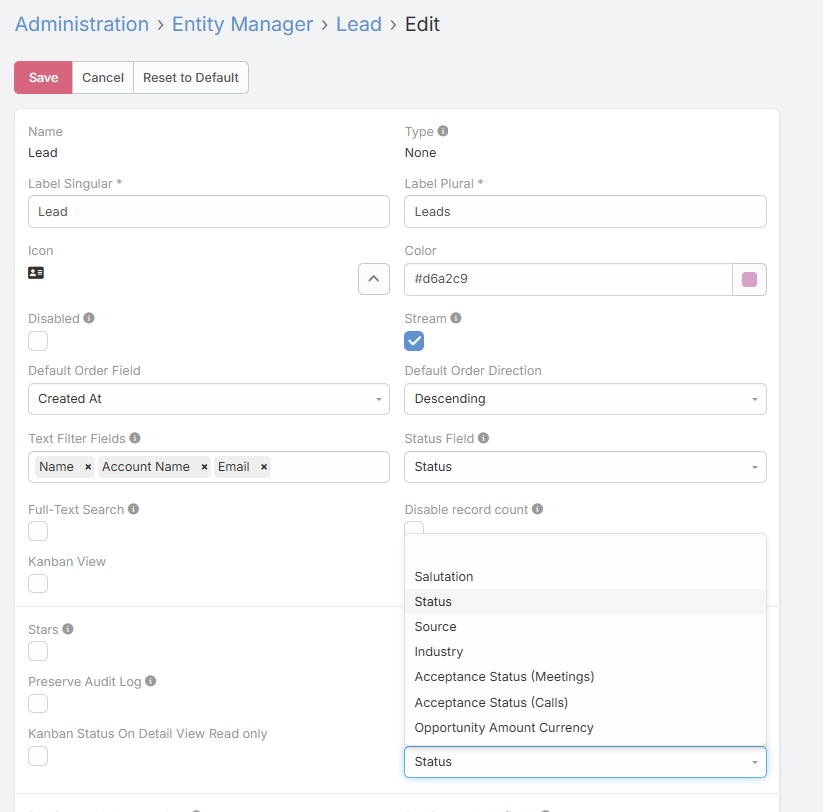
This feature allows administrators to choose a specific Enum field from the entity settings. The List View rows will then be dynamically colored according to the colors defined for the options of that Enum field.
Configuration :
In the Entity Settings, select an Enum field to be used as the row color source.
Behavior :
Each row in the List View inherits the color of the selected Enum option value for that record.
Consistency :
Uses the same color definitions applied across Enum fields, ensuring a unified visual experience.
Use Case :
Quickly identify record status, priority, or category directly from the List View without opening records.