Kanban Multiple 
Ability of switching between fields in kanban view in EspoCRM is available in Ebla Kanban Multiple.
Extension video
Overview
The EblaKanbanMultiple extension for EspoCRM enhances the Kanban view functionality by allowing users to switch between different grouping fields (status fields) dynamically for a single entity. This is particularly useful for entities that track progress through multiple dimensions (e.g., Sales Stage vs. Lead Status).
Features
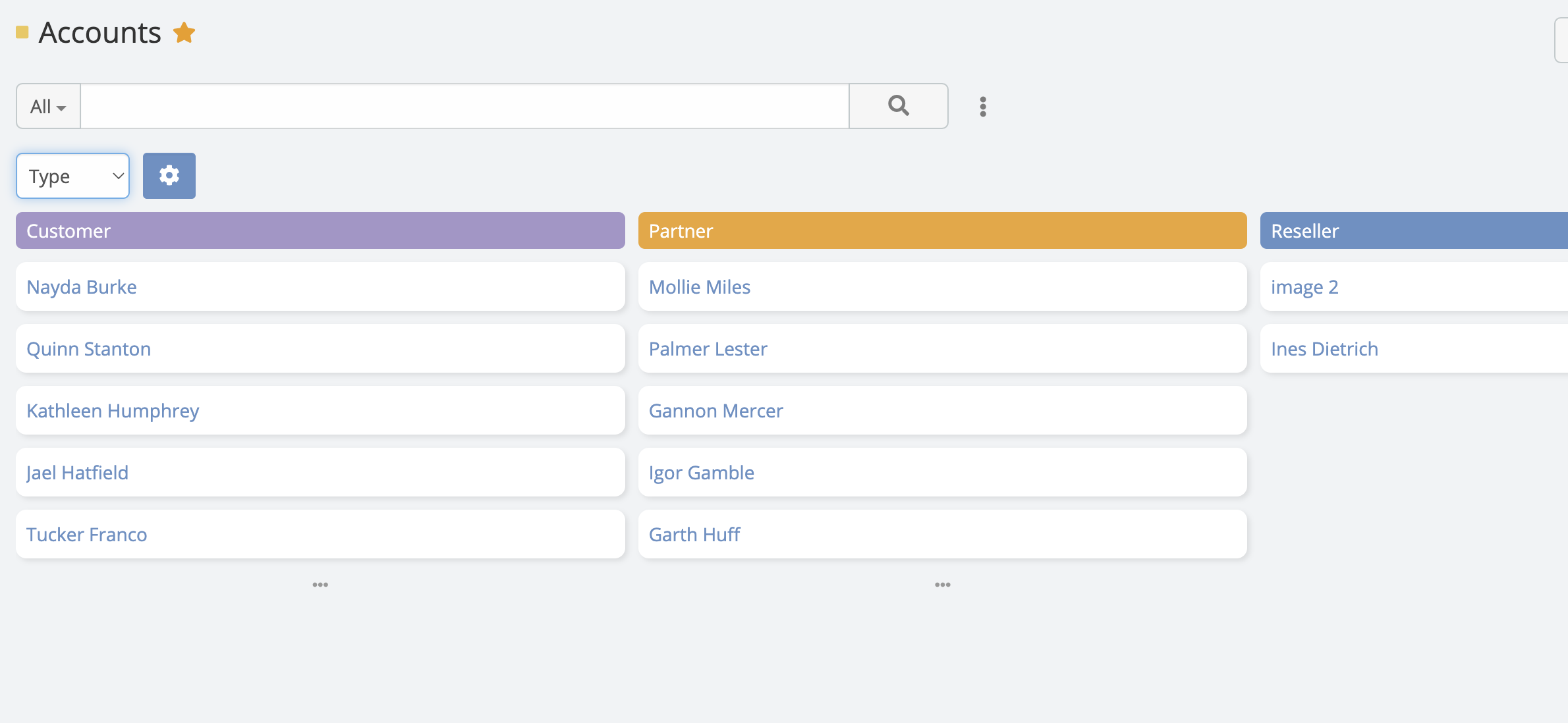
- Dynamic Kanban Grouping: Switch the Kanban column grouping field via a dropdown menu in the view header.
- Configurable Fields: Administrators can define which fields are available for grouping per entity.
- Customizable Columns: Configure ignored status options for each field independently.

Configuration
To enable the multiple Kanban functionality for an entity (e.g., Opportunity, Task)
- Go to Administration -> Entity Manager -> {Entity Type} -> Kanban Status Fields .
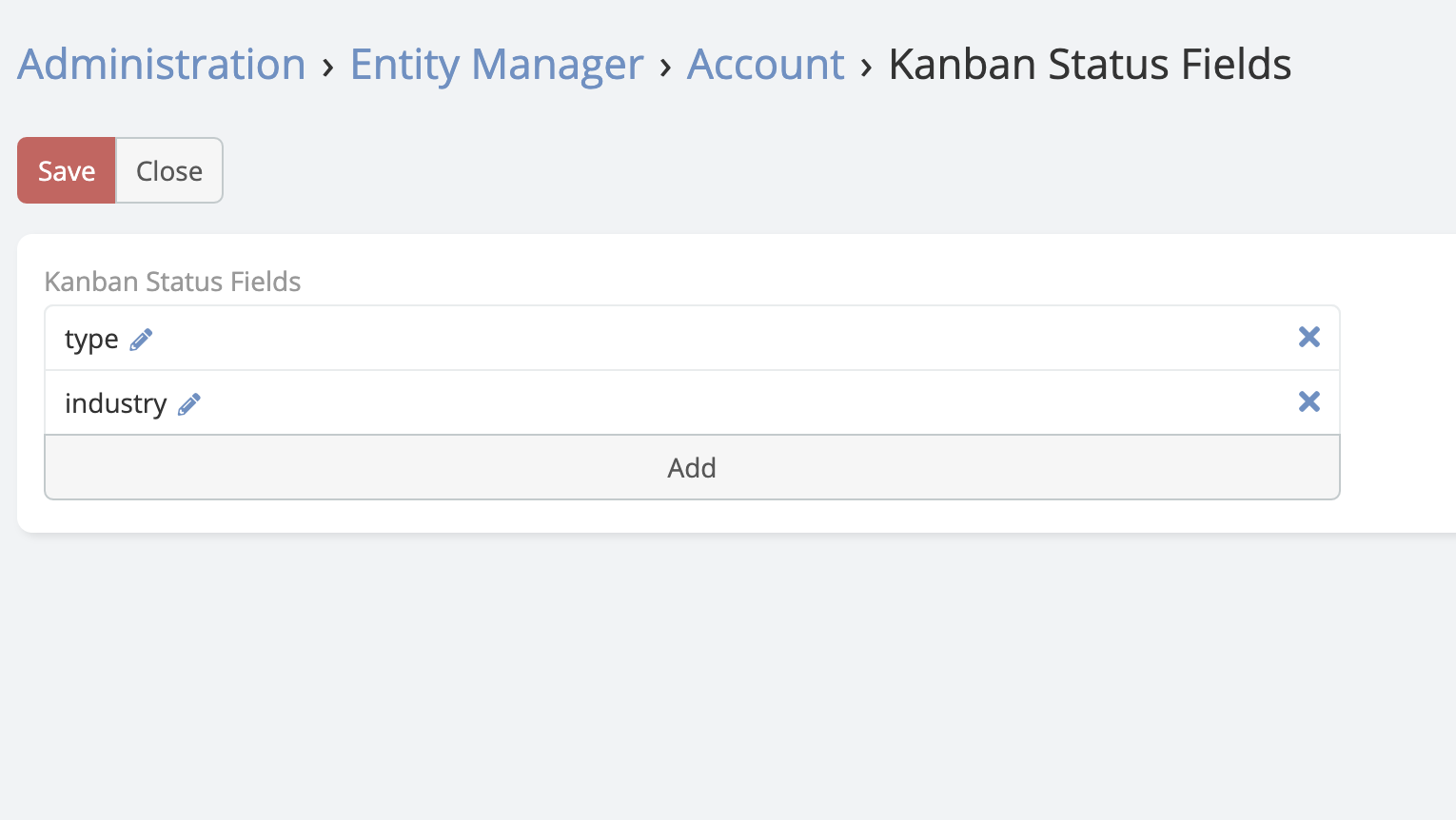
- Select the fields you want to be available for Kanban grouping from the list.
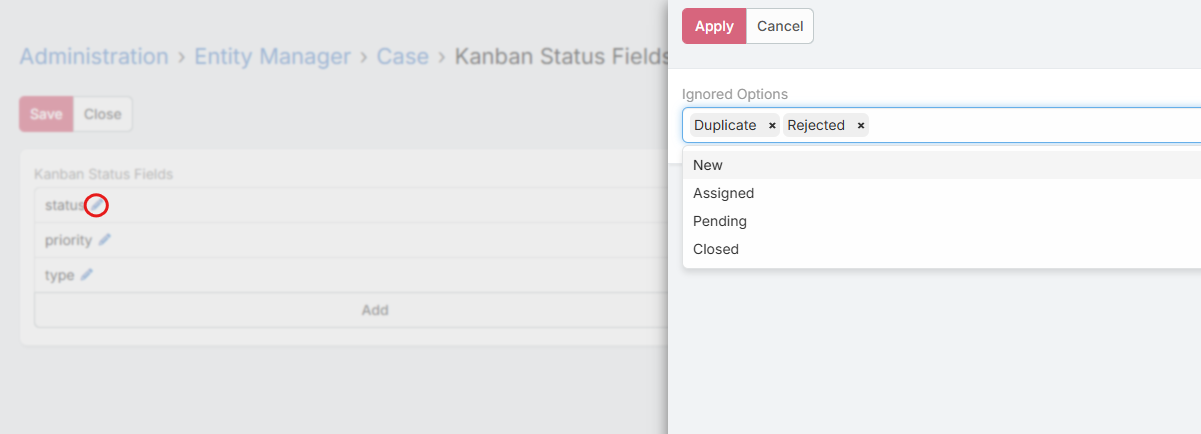
- If you want to exclude specific values for any field, click on the Edit (pencil) icon. A modal will appear where you can select the values to be ignored.
Usage
- Navigate to the list view of the configured entity.
- Switch to Kanban view mode (if not already active).
- In the top-left corner of the Kanban board, you will see a dropdown menu displaying the current grouping field (e.g., "Stage").
- Click the dropdown and select a different field (e.g., "Lead Source").
- The Kanban board will reload, displaying columns based on the selected field's options.