Mask Field 
Ability set mask input for any existing varchar field (Phone & Varchar) in addition to the new fields in EspoCRM. is available in Ebla Mask Field.
Overview
The Ebla Mask Field extension for EspoCRM allows administrators to define input masks for Varchar fields. This ensures data consistency by enforcing specific formats (e.g., phone numbers, postal codes, license plates) during data entry.
Features
- Input Masking: Define custom masks for any Varchar field.
- Data Validation: Prevents saving the record if the input does not match the required mask format.
- Storage Control: Choose whether to save the value with the mask characters (e.g.,
(123) 456-7890) or just the raw data (e.g.,1234567890). - Display Formatting: Automatically formats values in Detail and List views according to the configured mask.
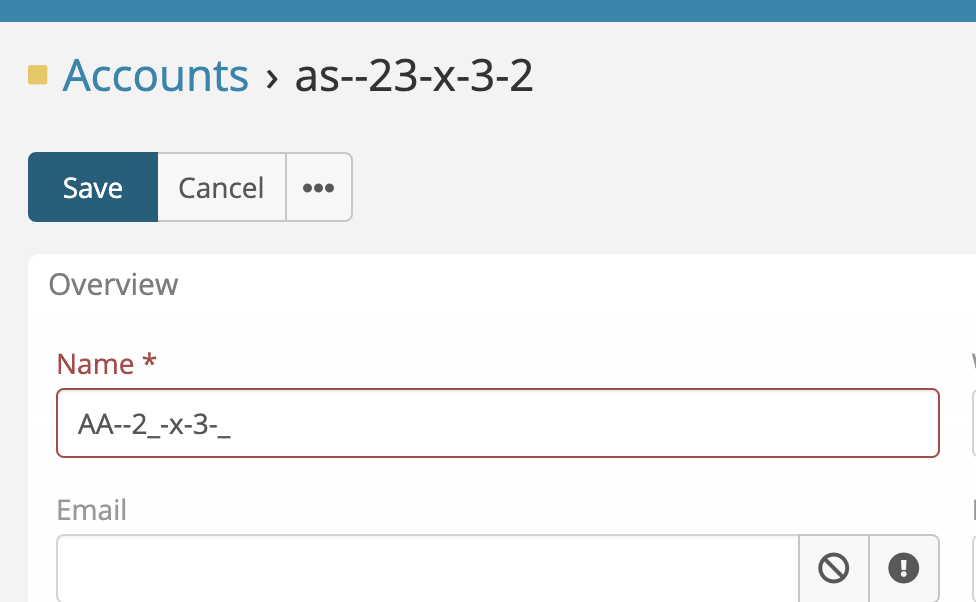 

Usage
To apply a mask to a field:
- Navigate to Administration > Entity Manager.
- Select the desired entity (e.g., Contact, Account).
- Click on Fields and edit an existing Varchar field or create a new one.
- You will see two new parameters: * Mask: Enter the mask pattern here. * Save Unmasked Value: Check this box to save only the raw input (removing formatting characters) to the database. Uncheck it to save the formatted string.
- Save the field.
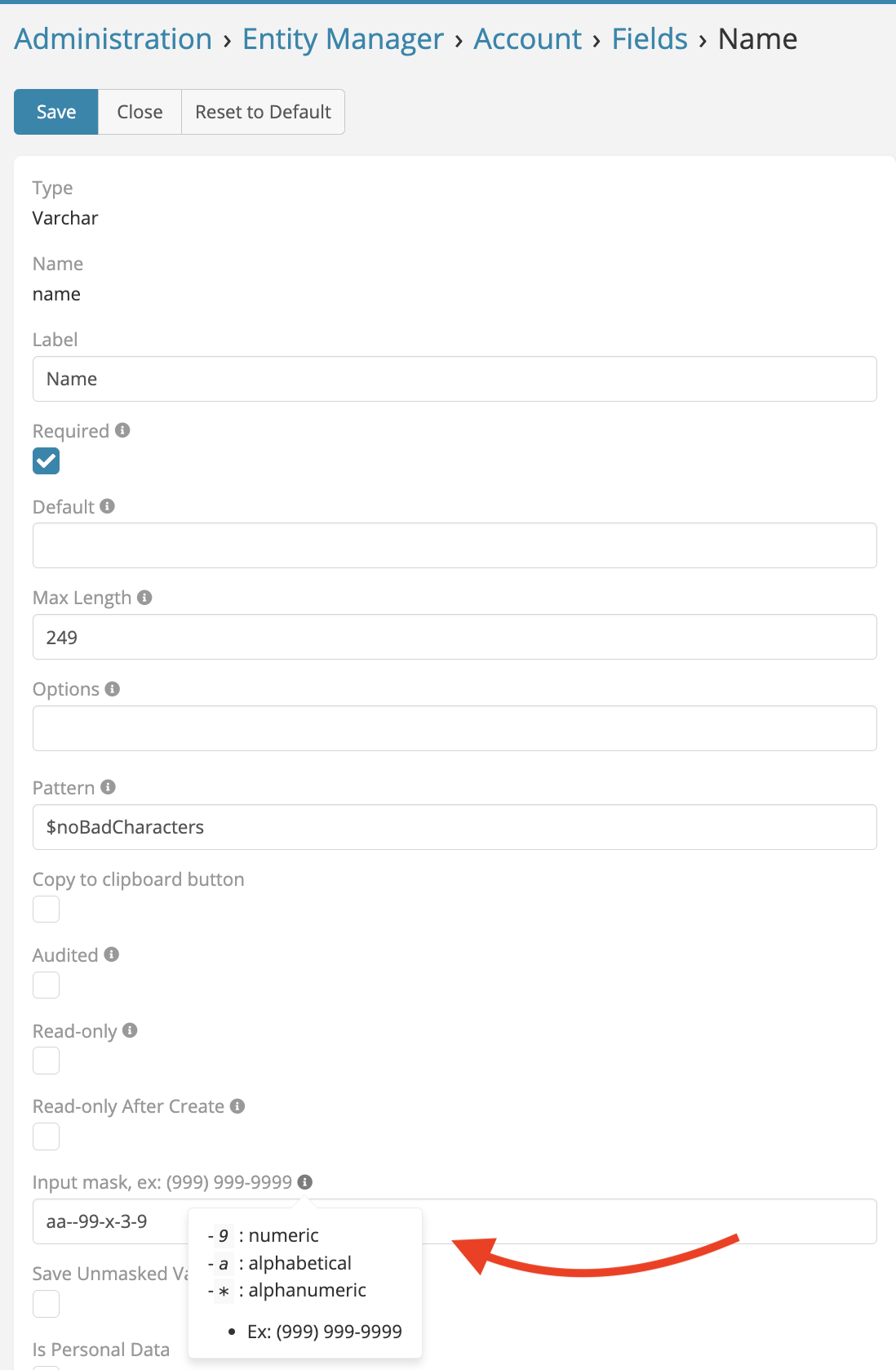
Mask Syntax
The extension supports standard input mask definitions:
* 9: Numeric (0-9)
* a: Alphabetical (a-z, A-Z)
* *: Alphanumeric (0-9, a-z, A-Z)
Examples:
* Phone Number: (999) 999-9999
* Date: 99/99/9999
* License Plate: 99-aaa-99
License
This extension is the property of Eblasoft Bilişim Ltd. It is not freeware and requires a valid license for use. See the included LICENSE file for full terms.