Number Pro 
Auto Increment in EspoCRM (Number Pro field) available in Ebla Number Pro.
Description
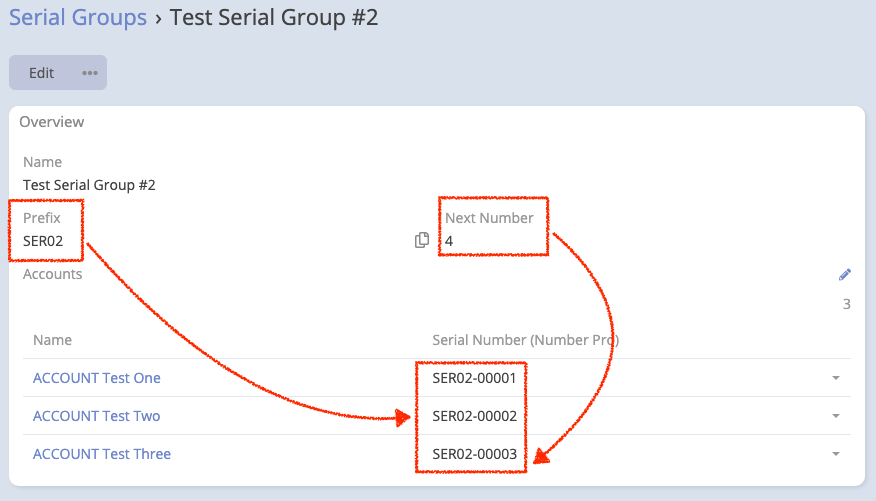
Ebla Number Pro is an EspoCRM extension that adds a new field type numberPro. This field allows you to generate auto-incrementing numbers based on a related entity. This is useful for scenarios where you need sequential numbering that resets or increments based on a category, department, or any other related object (e.g., Invoice numbers based on Year, or Ticket numbers based on Department).
Features
- Context-Aware Numbering: Generate numbers that depend on a parent/related entity.
- Customizable Format: Configure the prefix, separator, and zero-padding length.
- Auto-Increment: Automatically increments the counter on the related entity.
- Read-Only: The generated number is read-only to ensure integrity.
Usage
Adding a Number Pro Field
- Go to Administration -> Entity Manager -> {Entity Type} -> Fields.
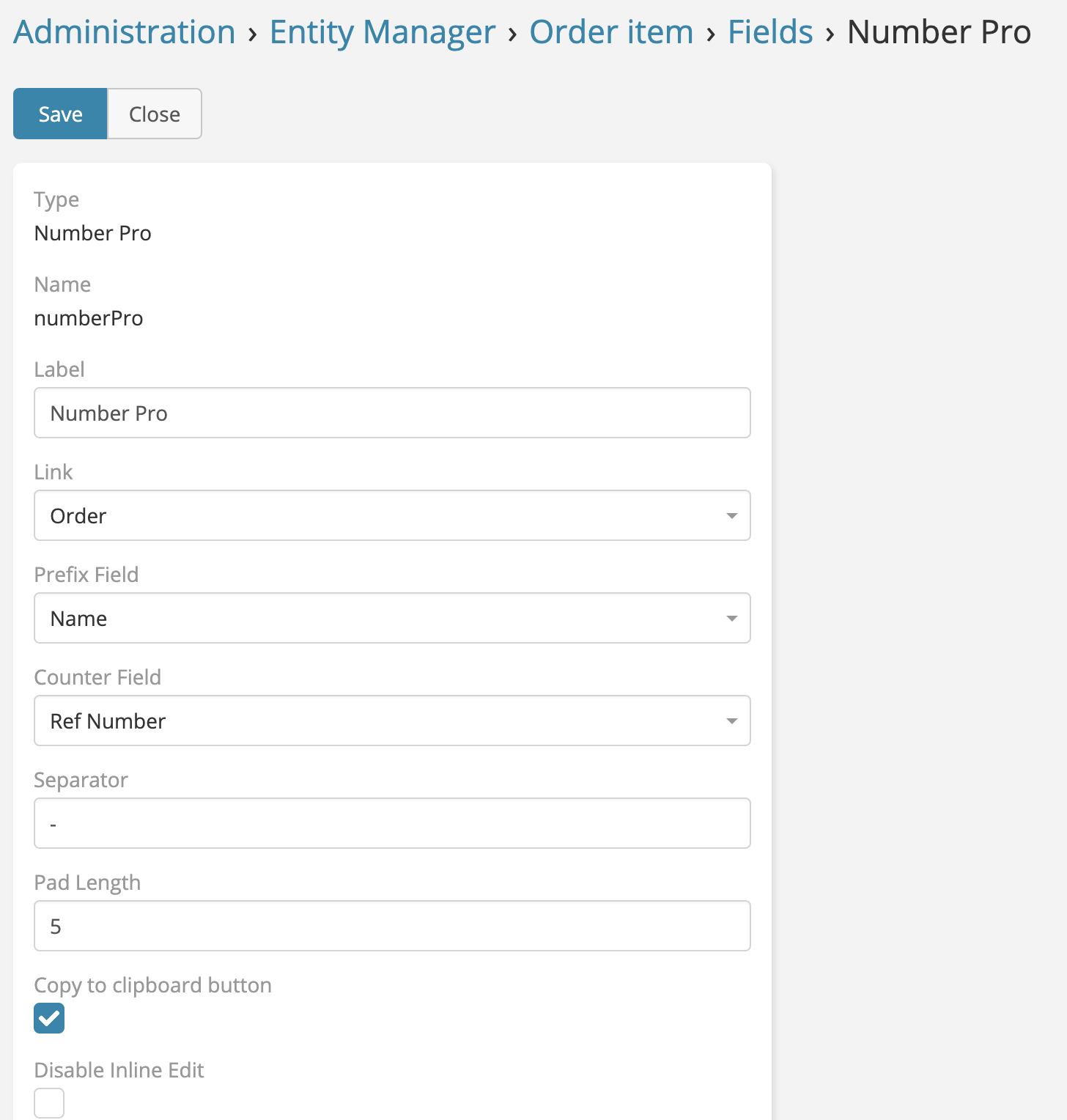
- Create a new field with type Number Pro.
| Parameter | Description |
|---|---|
| Link | The relationship (Link) to the entity that holds the counter. (e.g., if you want numbering based on 'Department', select the 'department' link). |
| Prefix Field | The field on the related entity to use as a prefix (e.g., a 'code' field on the Department entity). |
| Counter Field | The integer field on the related entity that tracks the current count. This field will be automatically incremented. |
| Separator | A character to separate the prefix and the number (e.g., - or /). |
| Pad Length | The total length of the number part, padded with zeros (e.g., a value of 5 turns 1 into 00001). |
| Copy to Clipboard | If enabled, adds a button to copy the generated number to the clipboard. |
Example Setup
Scenario: You want Ticket numbers like SUP-00001, SALES-00005 based on the Department.
-
Entity:
Department- Add a fieldcode(Varchar) -> Values: "SUP", "SALES" - Add a fieldticketCounter(Integer) -> Default: 0 -
Entity:
Case(Ticket) - Ensure there is a Link toDepartment. - Add anumberProfield namedcaseNumber. - Link: Department - Prefix Field: code - Counter Field: ticketCounter - Separator: - - Pad Length: 5
Now, when you create a Case and select "Support" (Code: SUP), the caseNumber will be SUP-00001. The ticketCounter on the Support department record will increment to 1.