EspoCRM Image Plus Documentation 
Overview
Ebla Image Plus enhances EspoCRM’s attachment and image handling by adding powerful metadata extraction, translation, and bulk processing features. It is designed for users who need better control, visibility, and organization of image data inside EspoCRM.
With this extension, you can extract and display EXIF and IPTC metadata, translate technical tags into readable labels, and manage image information more efficiently—making it ideal for industries like real estate, media, documentation, and digital asset management.
If you work with a lot of images in EspoCRM and need better metadata control, Ebla Image Plus is the perfect solution.
Key Features
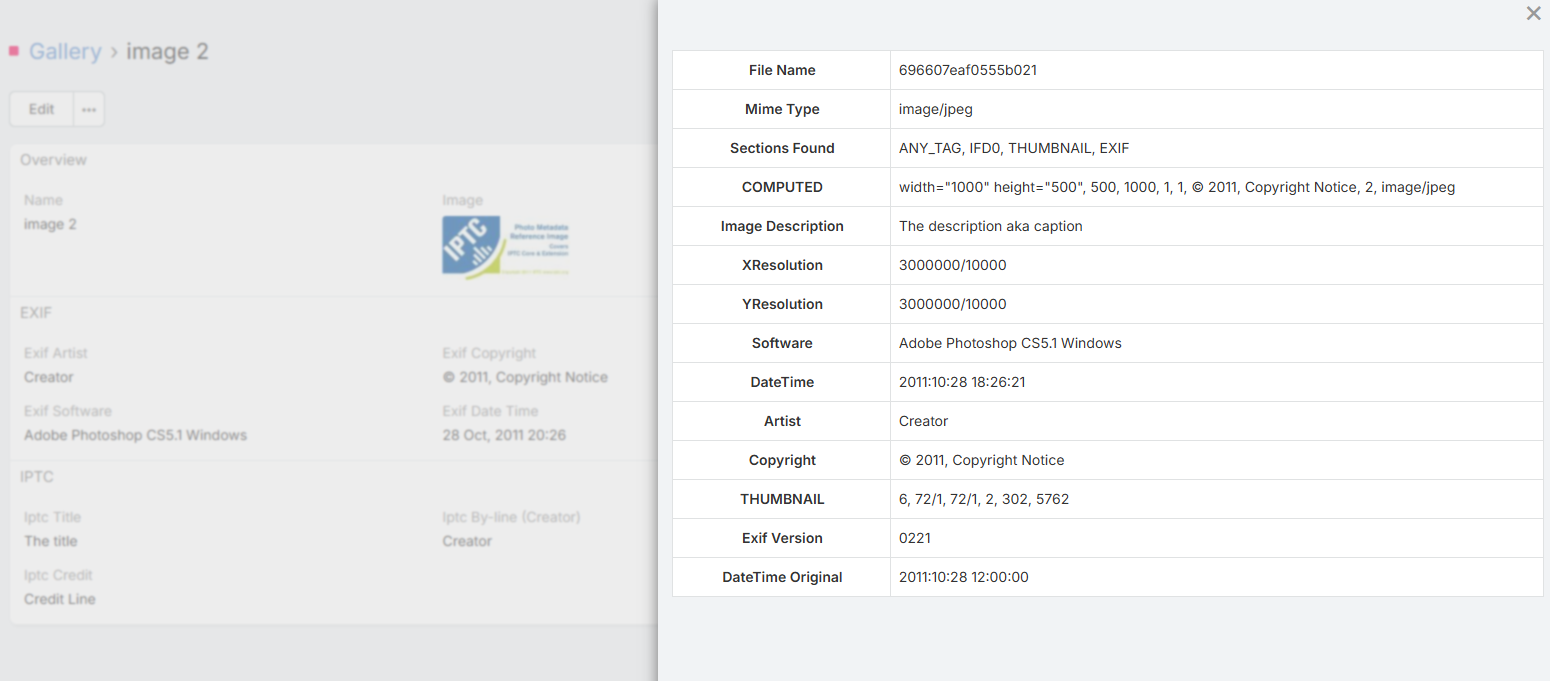
EXIF & IPTC Metadata Extraction
Automatically extract and display embedded metadata from image files.
This includes: - Camera model - Capture date - Exposure settings - Orientation - GPS (if available) - Copyright & author info (IPTC) - And more
This allows you to understand your image data without leaving EspoCRM.
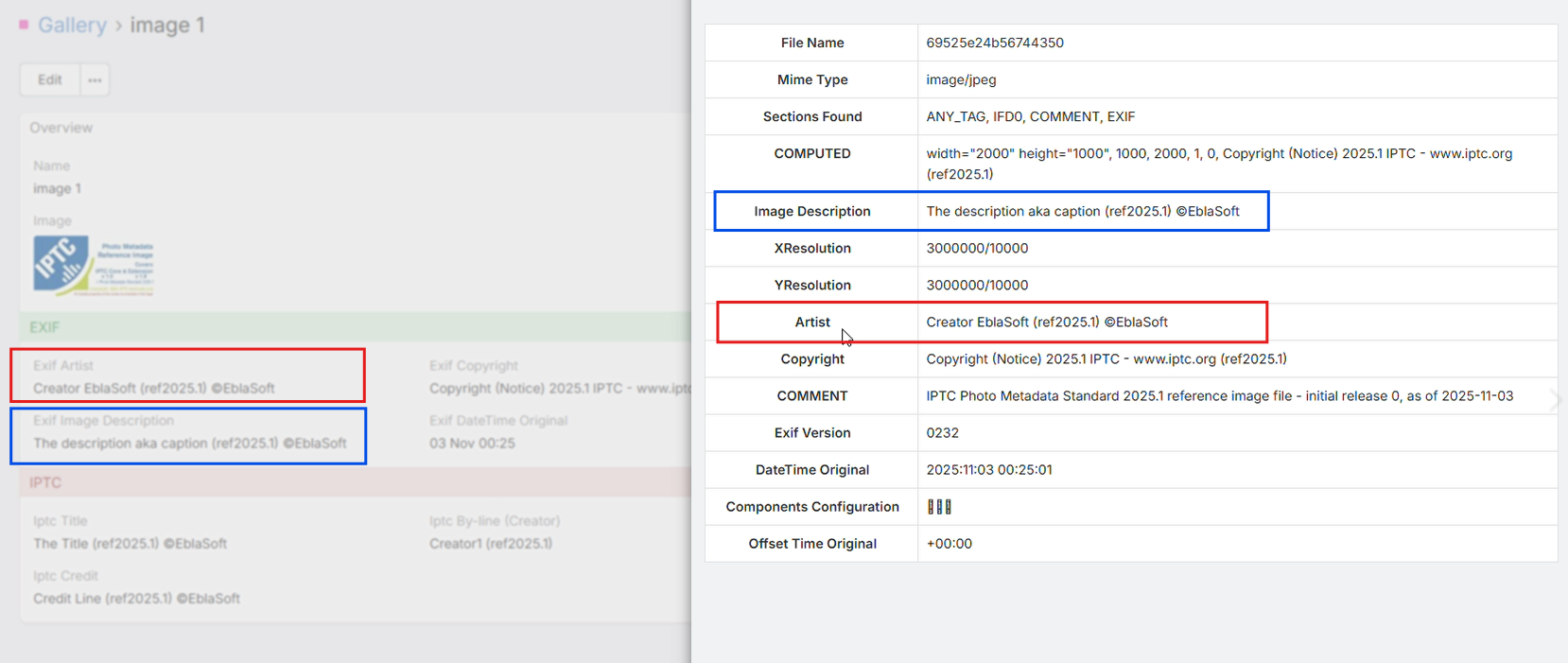
Metadata Write-back & Field Mapping
Take full control of your image properties by linking EspoCRM fields directly to image metadata.
Two-Way Synchronization: Map your custom EspoCRM fields to specific EXIF or IPTC tags.
Automatic Updates: When you edit a mapped field within EspoCRM, the extension automatically updates the metadata inside the image file itself.
Data Integrity: Ensures that your image files carry the most up-to-date information (like descriptions, copyright, or tags) even when downloaded or shared outside the CRM.
Direct Camera Capture for Image Fields
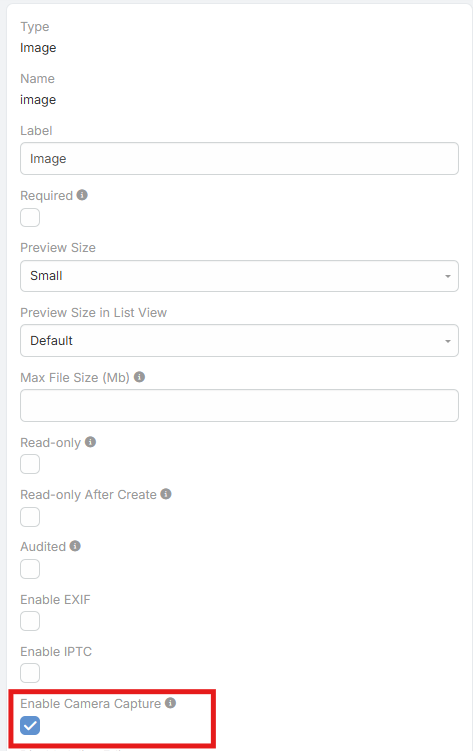
For image fields, Ebla Image Plus can show a dedicated Capture button next to the standard Select button.
This makes image entry more practical on both mobile devices and desktop browsers, especially for workflows where users need to capture a new photo directly instead of selecting an existing file.
Key benefits:
- Separate Select and Capture actions for better usability
- Faster photo entry on mobile devices
- Desktop browser support with live camera preview
- Useful for before/after workflows, inspections, field service, property visits, and similar use cases
- Can be enabled per field with the field parameter enableCameraCapture
When enabled on mobile devices, supported browsers can still open the device camera directly, typically using the rear camera.
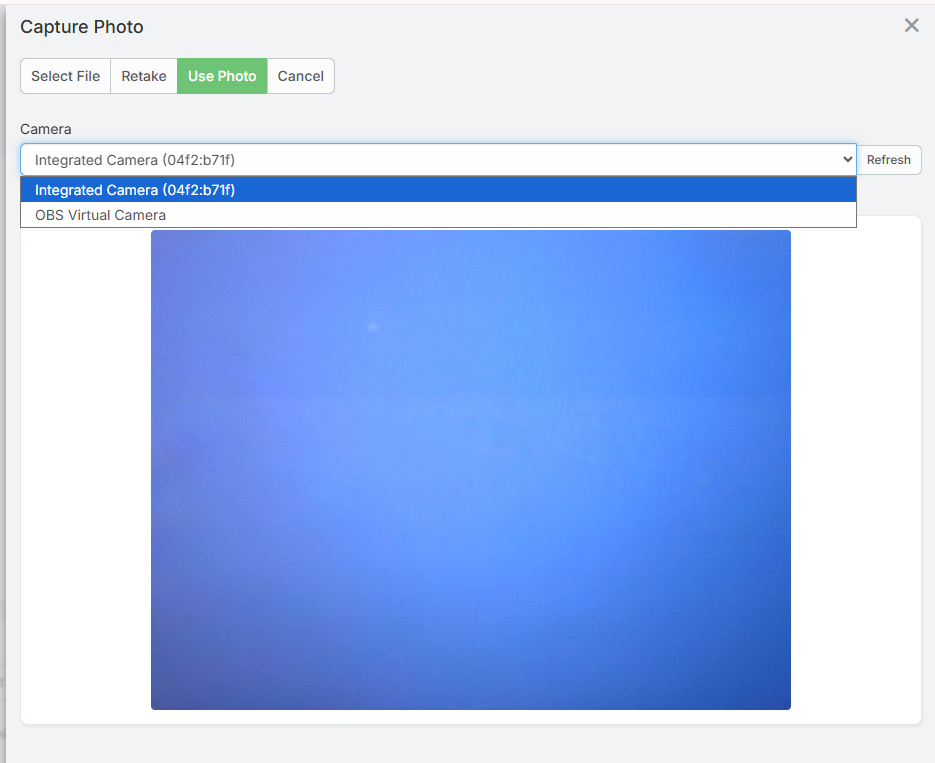
When the Capture button is used from a desktop browser, Ebla Image Plus opens a camera modal instead of going directly to the file picker.
The desktop camera modal: - Detects cameras connected to the computer - Selects the camera automatically when only one camera is available - Lets the user choose which camera to use when multiple cameras are available - Shows a live preview before the photo is taken - Lets the user Capture, Retake, and Use Photo - Uploads the captured photo directly to the current image field
If no camera is available, permission is denied, or the browser does not support camera access, users can still select and upload an image file manually.
Android 16+ Compatibility
This feature was added to address the camera-selection issue on Android 16 and later, where some devices show only the photo picker for single image fields instead of offering direct camera access.

Nikon / Canon and Other Digital Cameras
Desktop browser capture can use Nikon, Canon, or other digital cameras only when the operating system and browser expose the camera as a standard webcam or virtual camera. Direct tethered DSLR or mirrorless capture is not supported by standard browser APIs without native drivers or additional desktop bridge software.
Human-Readable EXIF Labels
Technical EXIF keys are translated into clear, user-friendly labels.
Instead of seeing: - ExposureTime - ISOSpeedRatings - FNumber
You will see: - Exposure Time - ISO Speed - Aperture
This makes metadata understandable for non-technical users.
German Translation for EXIF Data
Ebla Image Plus includes built-in German translations for EXIF metadata labels.
This is especially useful for: - German-speaking teams - International companies - Localization requirements
Mass Action: Bulk Metadata Sync
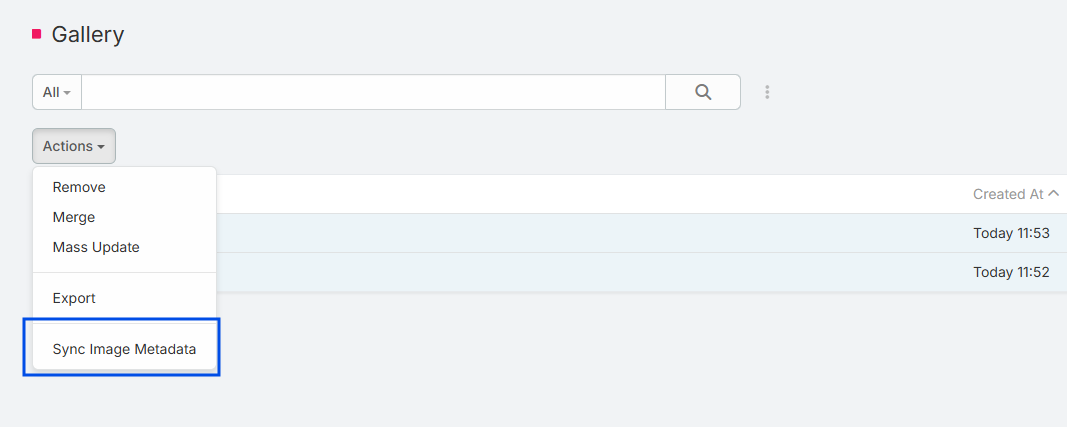
Sync metadata for multiple images at once using a mass action.
This is useful when: - You upload many images - You migrate old records - You update metadata logic - You fix previously missing data
How It Works:
- Go to the attachment or related entity list.
- Select multiple image records.
- Choose Sync Image Metadata from the mass actions menu.
- The system will re-extract and update metadata for all selected images.
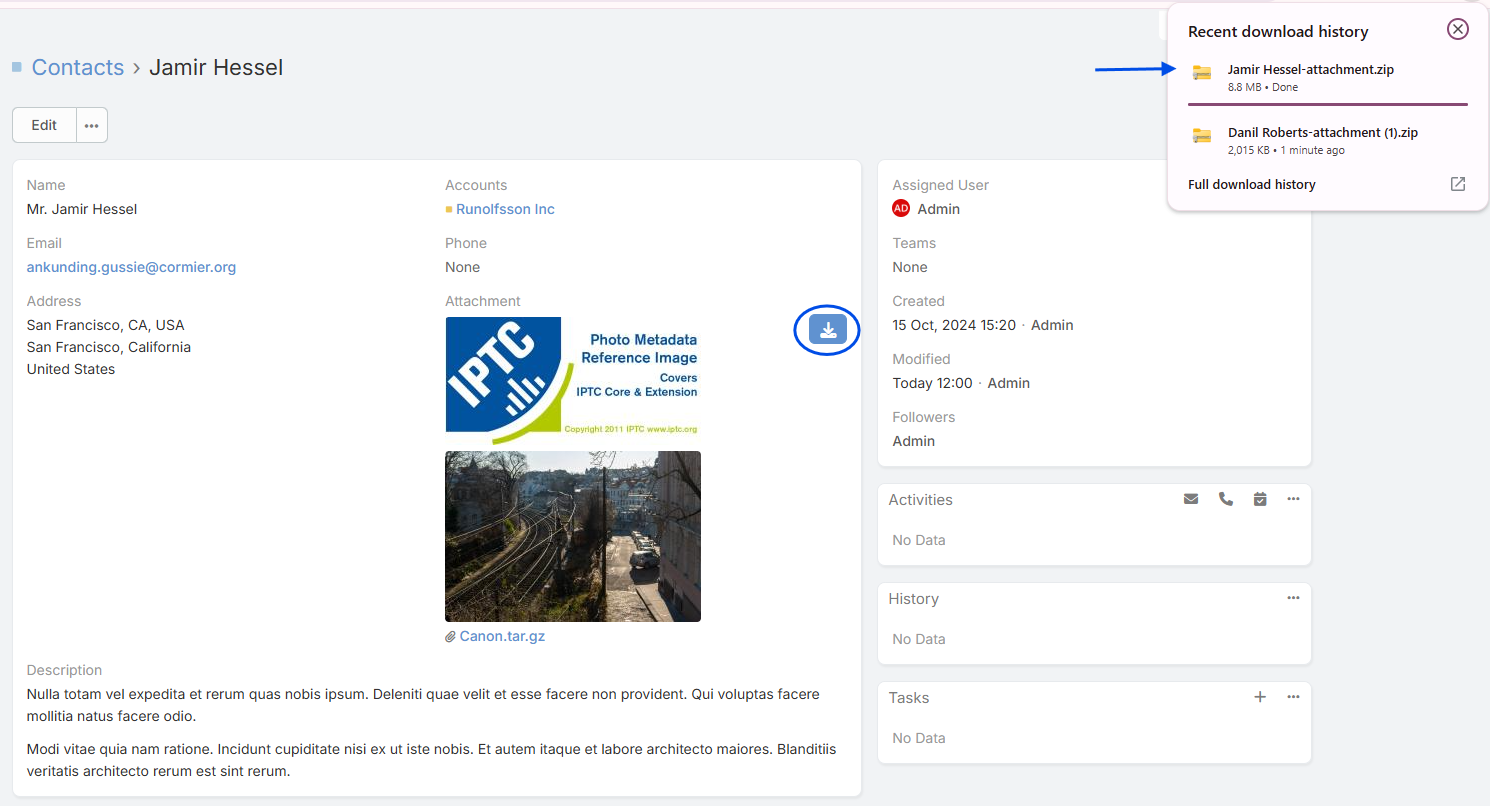
Download Multiple Attachments as ZIP
Download multiple attachments at once as a single ZIP file.
This feature: - Saves time - Keeps files organized - Is perfect for exports, backups, and sharing
Improved Handling of Undefined Tags
Some images contain incomplete or non-standard metadata.
Ebla Image Plus: - Safely handles undefined tags - Prevents UI errors - Displays fallback values - Keeps the interface clean and stable
This ensures reliability even with poorly formatted images.
PDF Image Helper – Custom Size Parameter
The PDF image helper now supports a custom size parameter.
This allows: - Better control of image rendering - Proper scaling inside PDFs - More professional document layouts
Perfect for: - Brochures - Property sheets - Reports - Contracts
Ideal For
Ebla Image Plus is especially useful for:
- 🏠 Real estate companies
- 📰 Media & journalism
- 🗂 Digital asset management
- 📸 Photography workflows
- 🏢 Documentation-heavy businesses
- 🛠 Inspection and field-service processes
Notes
Permissions & Access
Metadata visibility respects EspoCRM field permissions and ACL rules.
Camera Capture
The Capture button is available for image fields when the field parameter enableCameraCapture is enabled.
Browser & Device Support
Camera capture behavior depends on the browser and mobile operating system. On supported devices, the capture action can open the camera directly.
Source Dependency
Metadata availability depends on the image file itself. If the image does not contain EXIF or IPTC data, those fields will remain empty.