Ebla Theme 
Overview
Ebla Theme gives your EspoCRM a fresh, professional look with full control over colors, branding, and visual styles. You can customize the interface to match your company identity without touching any code.
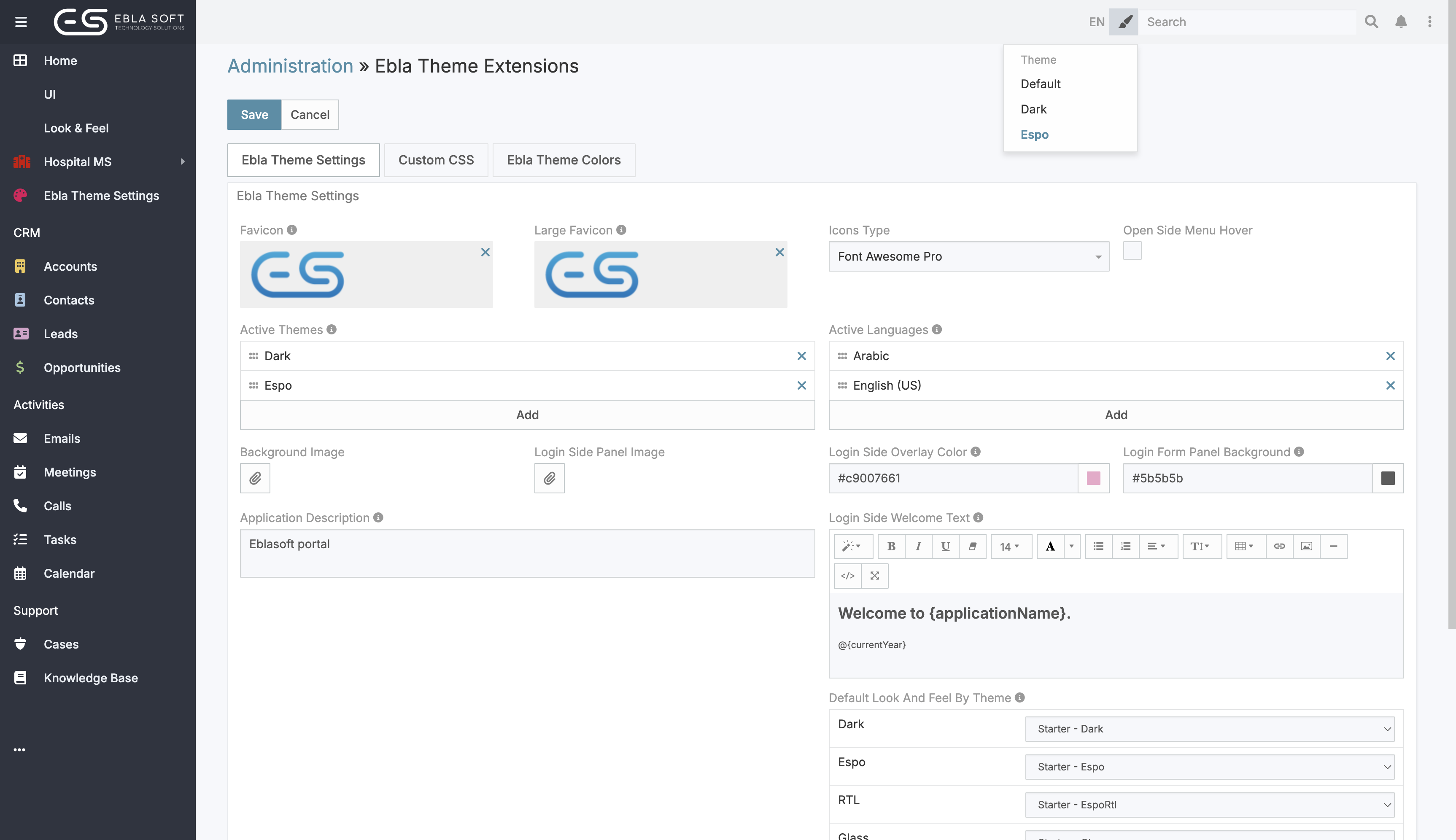
It also supports per-theme visual profiles with Look And Feel, plus quick navbar switchers for theme and language.
Go to Administration → Ebla Theme to get started.
Look and Feel Profiles
The Look and Feel feature lets you create multiple style profiles and assign them to specific themes.
Best practice: Use Look And Feel profiles for theme-specific colors. Keep global color fields in Ebla Theme settings empty unless you need the same color overrides across all themes.
- Create a profile with custom colors and assign it to one or more themes.
- Add profile-level custom CSS directly on each Look and Feel record.
- Set a default profile per theme from Administration → User Interface.
- Users can switch between available profiles using the palette icon in the top navigation.
- If only one profile is available for the active theme, the switcher is hidden automatically.
- Profiles with no theme assigned apply to all themes.
- On fresh installs with no Look And Feel records, starter profiles are created automatically (one per theme) and mapped as defaults per theme.
- Existing environments are not overwritten; starter mapping runs only when no Look And Feel profiles exist.
- In switcher dropdowns, the active option is shown with brand color + bold text (no left-side check icon spacing).
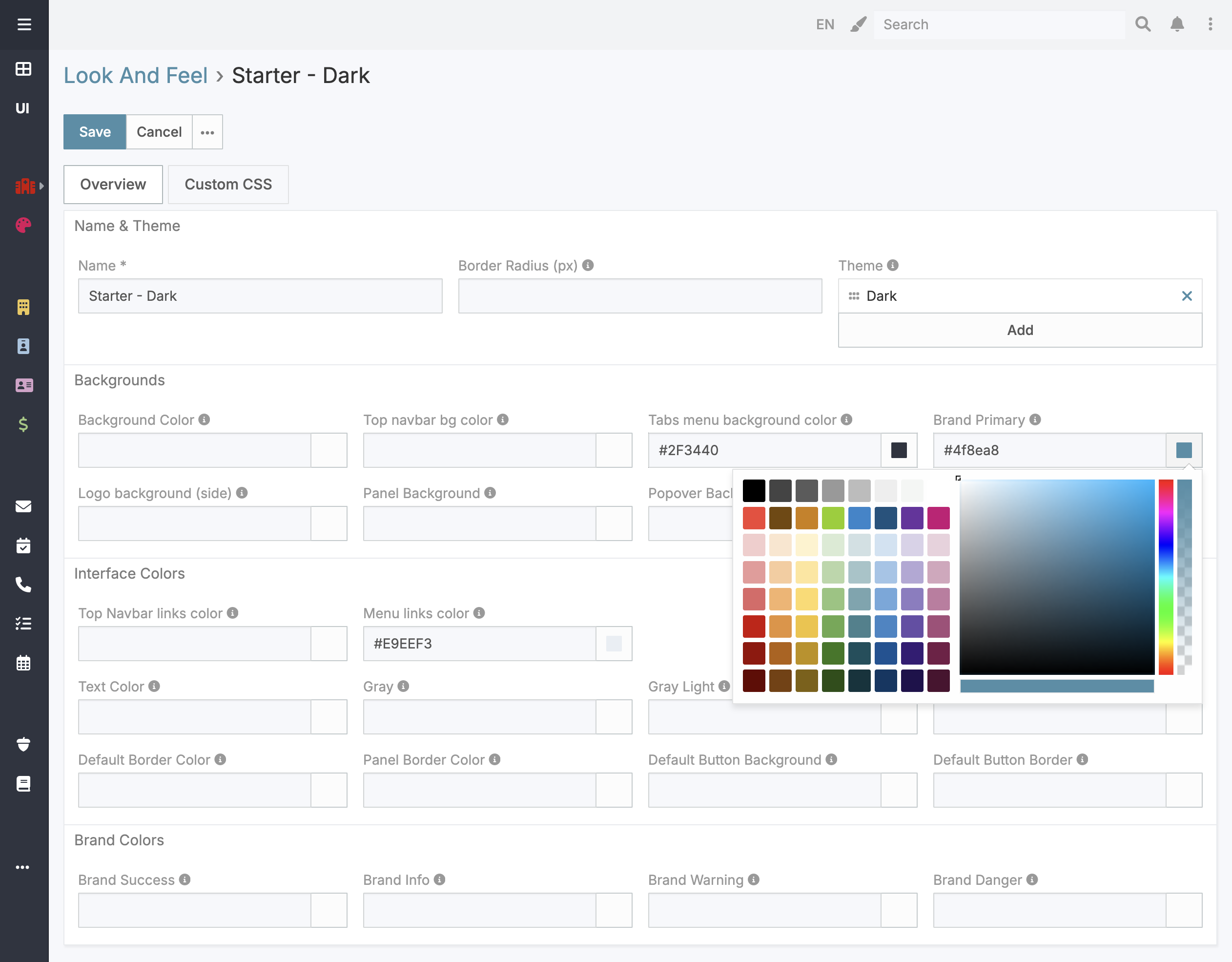
The system resolves profile names from their IDs at runtime, so renaming a profile is always reflected correctly without any manual updates.
Key Features
1. Login Page Branding
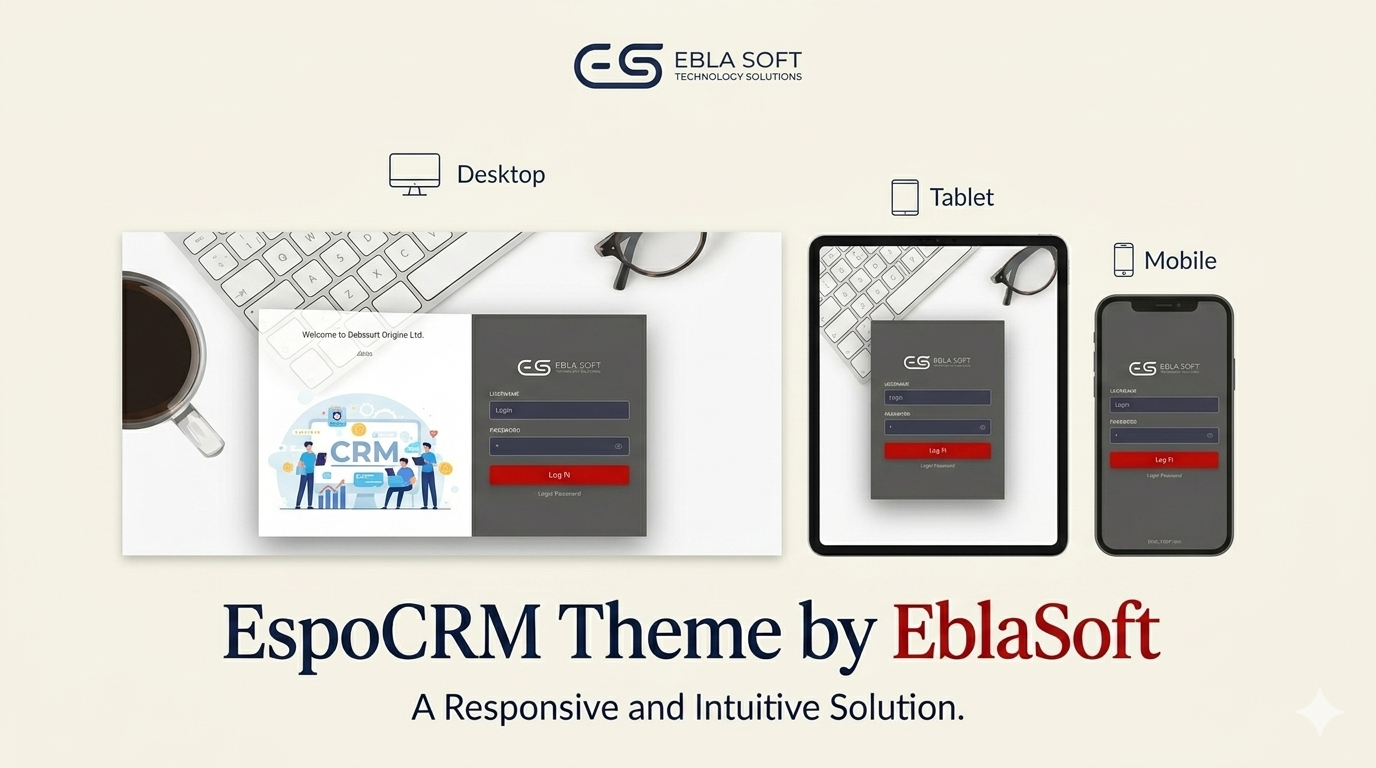
Ebla Theme provides a modern split login layout:
- a left side panel for branded visuals,
- a right side panel for the login form.
You can configure all key login branding elements from settings:
- Login Background Image (full screen background)
- Login Side Panel Image (default Ebla side image)
- Login Side Overlay Color (supports RGBA/alpha)
- Login Form Panel Background (supports RGBA/alpha)
- Login Side Welcome Text (WYSIWYG)
The left panel uses a two-block layout: a top message area and a side image area that fills the remaining height.
The login side welcome message supports placeholders:
{applicationName}{currentYear}
Default message: Welcome to {applicationName}.
Responsive behavior:
- On screens below 1024px, the side image panel is hidden automatically.
- On small screens (mobile), the login container expands to full width for better usability.
You can still add a footer to the login page for extra information or links.
2. Favicon
Upload a custom favicon (browser tab icon) in both standard and large sizes. The favicon is displayed in the browser tab and bookmarks, keeping your brand consistent everywhere.
- Standard size: 32x32 px
- Large size: 196x196 px
3. Color Customization
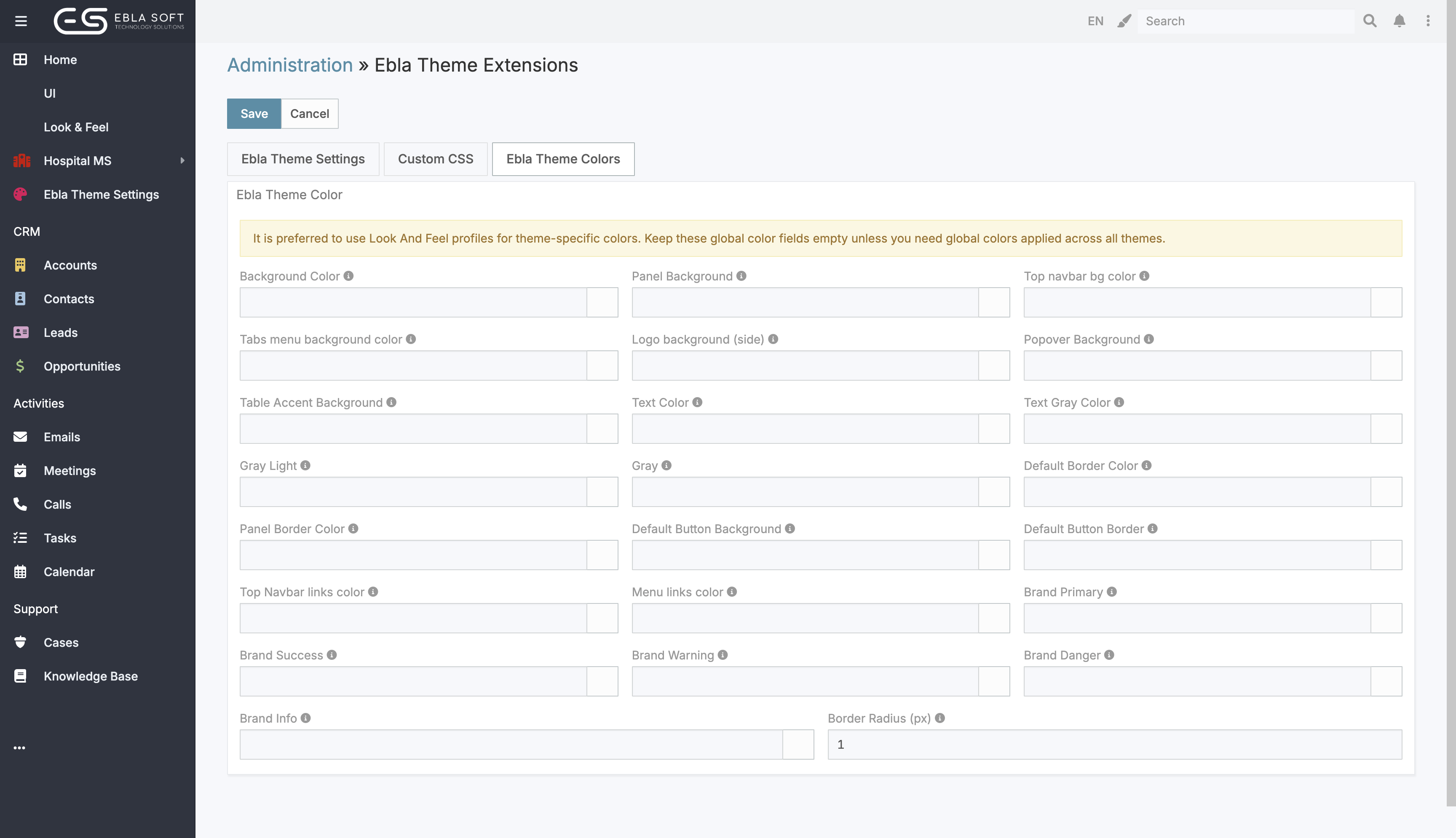
Take full control of the interface colors without any design tools. Each color is applied instantly across the entire system.
You can customize:
- Top navbar background color
- Tabs menu background color
- Logo background (side menu)
- Top navbar link color
- Text color
- Background color
- Brand Primary - buttons, links, highlights
- Brand Success / Danger / Warning / Info - status and alert colors
- Panel Background - reused by panel/table/well/login heading surfaces
- Default & Panel Borders - reused by dropdown, calendar, code and panel borders
- Default Button Background & Border - hover and active shades are generated automatically
- Popover Background - reused by dropdown and collapsed modal surfaces
- Text Gray / Gray / Gray Light - reused by disabled text, icons, footer and neutral UI tones
Color fields support alpha values using 8-digit HEXA format: #RRGGBBAA.
EblaTheme applies a driver-based palette: when you tune a base color, related CSS root variables are generated automatically (for example, changing Panel Background also updates --login-panel-heading-bg).
4. Border Radius
Control the roundness of buttons, panels, dropdowns, and other UI elements using a single Border Radius setting. Set it to 0 for sharp corners or increase it for a softer, modern look.
5. Custom CSS
Add your own CSS rules directly from the settings panel for advanced visual customizations. Useful for fine-tuning spacing, fonts, or layout without modifying core files.
Portal-specific CSS is also supported - apply custom styles exclusively to portal pages without affecting the main application.
6. Side Menu Hover Open
Enable the side menu to open on hover instead of click. This keeps the interface compact while still giving quick access to navigation items.
7. Icon Set
Choose between the standard Font Awesome icon set and Font Awesome Pro for a wider and more refined icon library across the interface.
Font Awesome Pro requires a separate license from fontawesome.com.
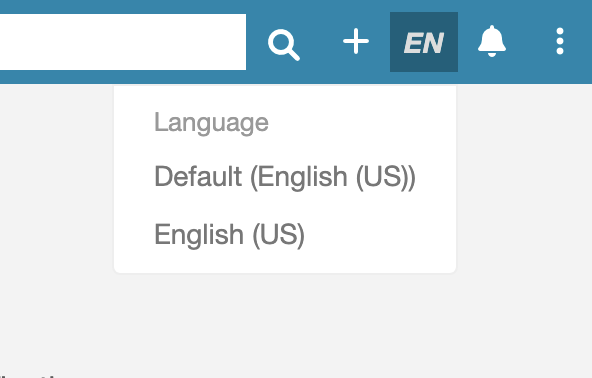
8. Language Switcher
Enable a language switcher in the top navigation bar so users can change their interface language directly without going into preferences.
- Controlled by Active Languages in Ebla Theme settings.
- If Active Languages is empty, the language switcher is hidden.
- The dropdown order follows your Active Languages setting order.
The selected language is highlighted using your active brand primary color and bold text for better visibility.
9. Theme Switcher
Enable theme switching from the top navigation bar. Admins can control available themes and their order with Active Themes in Ebla Theme settings.
- Includes a Default option (uses the system theme).
- Hidden automatically when no active themes are configured.
- The dropdown order follows your Active Themes setting order.
- Selected item is highlighted with brand color and bold style.
10. Admin LTE Elements
Ebla Theme includes styling support for Admin LTE elements such as info boxes, stat cards, and chat widgets. This is useful when building custom dashlets or portal pages that rely on Admin LTE components.
11. Site Meta Tags
Set custom site meta tags from the settings panel. This controls how your CRM appears in browser tabs, search engines, and link previews.