Rate Star Field 
Add a custom Rate field type to score records with stars, either by one value or multiple criteria.
Overview
Ebla Rate adds a custom field type Rate in Entity Manager.
- Use it on standard or custom entities.
- Support one-option rating or multi-criteria rating.
- Store the final score as a numeric value and criteria details as companion JSON data.
- Apply visual color mapping and size options for different views.
Key Features
- Single or Multi-Criteria Rating: Configure one result control or multiple criteria with an automatic average.
- Flexible Scale: Set the rating scale with
numStars(from 1 to 30). - Display Modes:
- Standard: Criteria rows + result.
- One Option: One simplified result control.
- One Star (read mode): Compact read display.
- Visual Controls:
- Default star color.
- Color map by score bucket.
- Star width for detail and list.
- Fast Edit: Optional inline save in read mode.
- Optional Counter: Show or hide the numeric score text.
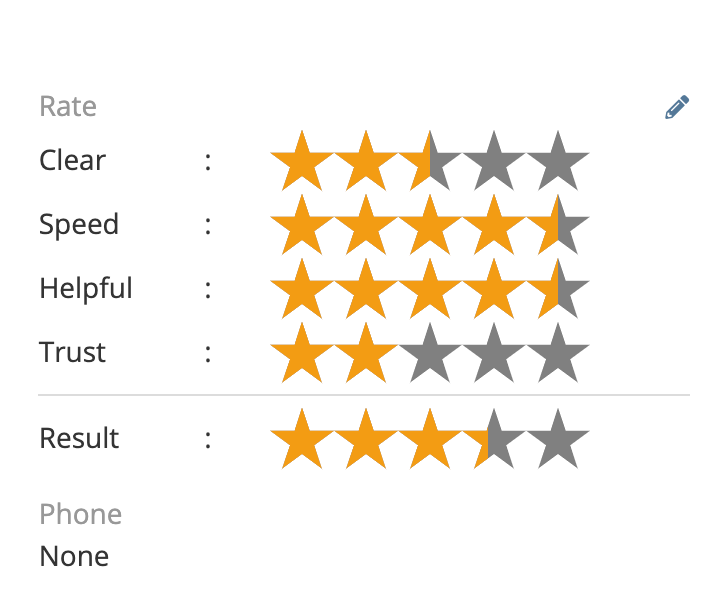
Configuration
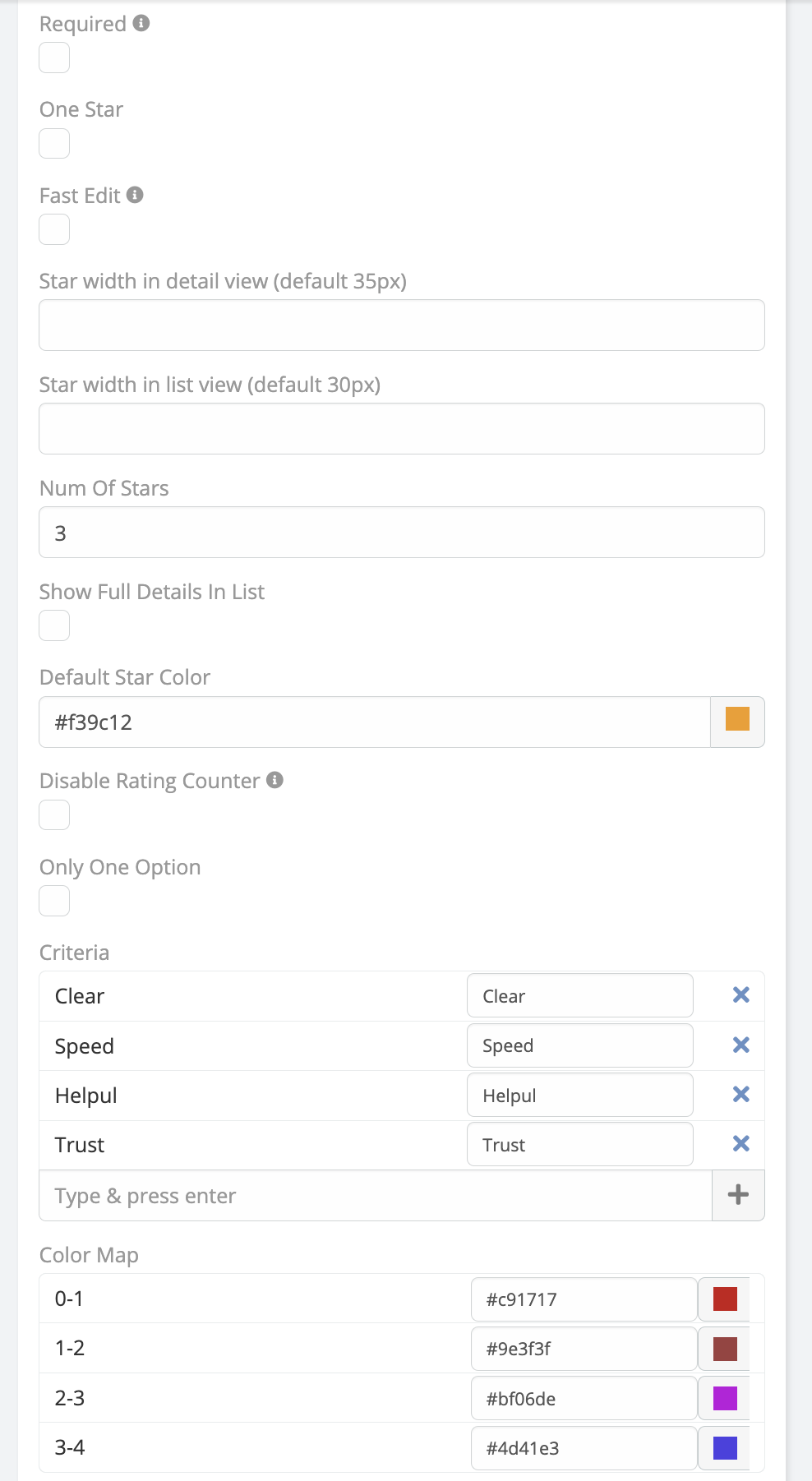
After installation, configure the field from Administration > Entity Manager.
Field Parameters
- Required: Prevent empty value when saving records.
- Number of Stars (
numStars): Rating scale limit (default 5, max 30). - Criteria: Criteria labels used in multi-criteria mode.
- One Option: Hide criteria list and use one result control.
- One Star: Show compact one-star output in read mode.
- Fast Edit: Allow inline update from read mode.
- Ignore Empty Criteria: Exclude zero/empty criteria from the average denominator.
- Disable Rating Counter: Hide the
(value)text. - Star Color: Default star color.
- Color Map: Override colors for score buckets.
- Show Full Details In List: Render full criteria view directly in list rows.
Important Behavior Notes
One StarandFast Editare mutually exclusive in field-manager UI.- In multi-criteria mode, changing a criterion recalculates the final result.
- If
Ignore Empty Criteriais enabled, non-rated criteria are skipped in averaging. - In one-option mode, the user sets the final result directly.
Installation
- Navigate to Administration > Extensions.
- Upload the extension package.
- Install and run rebuild.
Usage
- Open Administration > Entity Manager.
- Select your target entity.
- Add a new field with type Rate.
- Configure parameters based on your use case.
- Add the field to detail/list layouts.
- Start rating records in the target entity.
Copyright (c) Eblasoft Bilişim Ltd.