Ebla Dynamic Logic Plus 
Smart relationship automation for cleaner data, faster entry, and safer deletes.
Overview
Ebla Dynamic Logic Plus adds relationship-based automation to standard EspoCRM forms. It helps administrators:
- auto-fill related link fields,
- filter selectable records based on other links,
- trigger recalculation on linked records,
- cascade remove selected linked records,
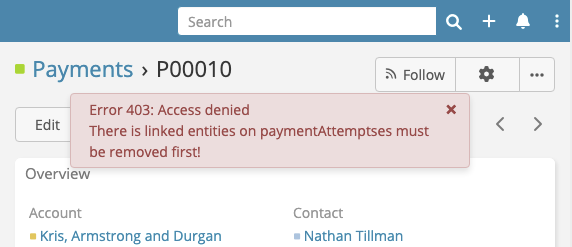
- block deletion when protected links still contain records.
All features are configured per entity from the admin interface.
Use Cases
- Contact -> Account auto-fill: Choosing a Contact can auto-populate its related Account.
- Dependent record selection: Contact lookup can be filtered by selected Account.
- Formula refresh trigger: Changing a child record field can trigger updates on linked parent records.
- Safe cleanup: Removing a record can also remove selected child records.
- Delete protection: Deletion can be blocked until specific linked records are removed.
Key Features
- Linked Field Automation (legacy label in UI: Associated Links)
- Cascade Update Triggers
- Cascade Remove
- Links Must Be Empty Before Remove
Configuration
Go to Administration -> Entity Manager -> {Entity} -> Dynamic Logic Plus.
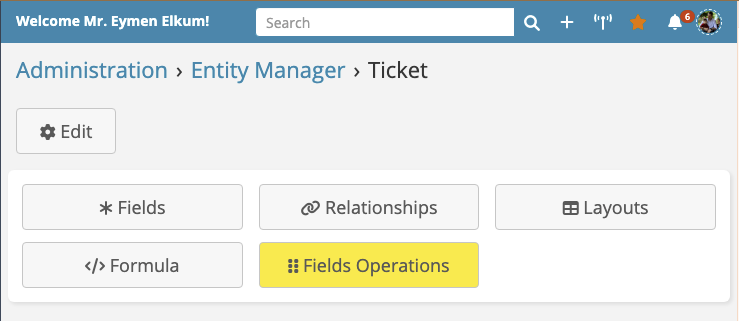
1) Linked Field Automation (formerly "Associated Links")
Use this section to define dependencies between link fields:
- Parent Field: the controlling link,
- Child Fields: links affected by the parent,
- Filter Hidden: apply filtering silently in selection UI.
What happens at runtime:
- Selecting a child link can auto-fill the parent link when relation data exists.
- Changing the parent link clears dependent child links.
- Child link selectors are filtered using the parent link value.
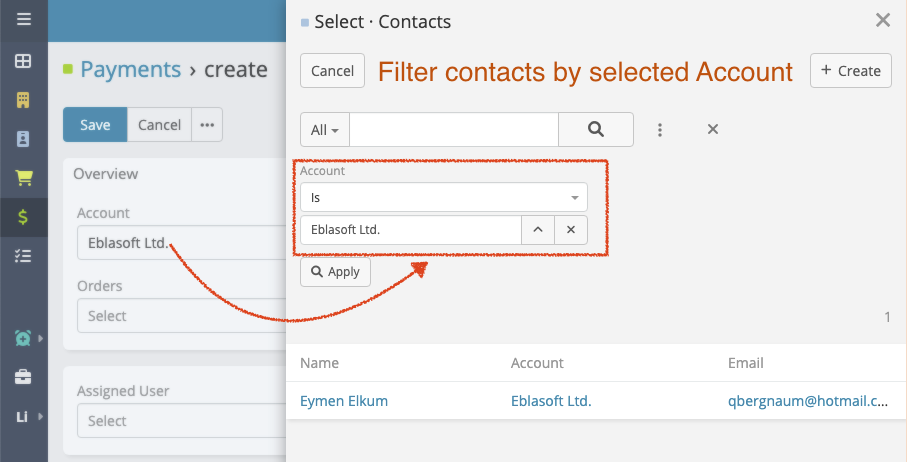
Note
The admin panel currently provides up to 4 mapping rows per entity.
Note
"Filter Hidden" still applies filtering logic, but hides the filter behavior from end users.
2) Cascade Update Triggers
Use Link + Triggering Fields to define when linked records should be re-saved.
Typical use case: recalculate parent formulas when child values change.
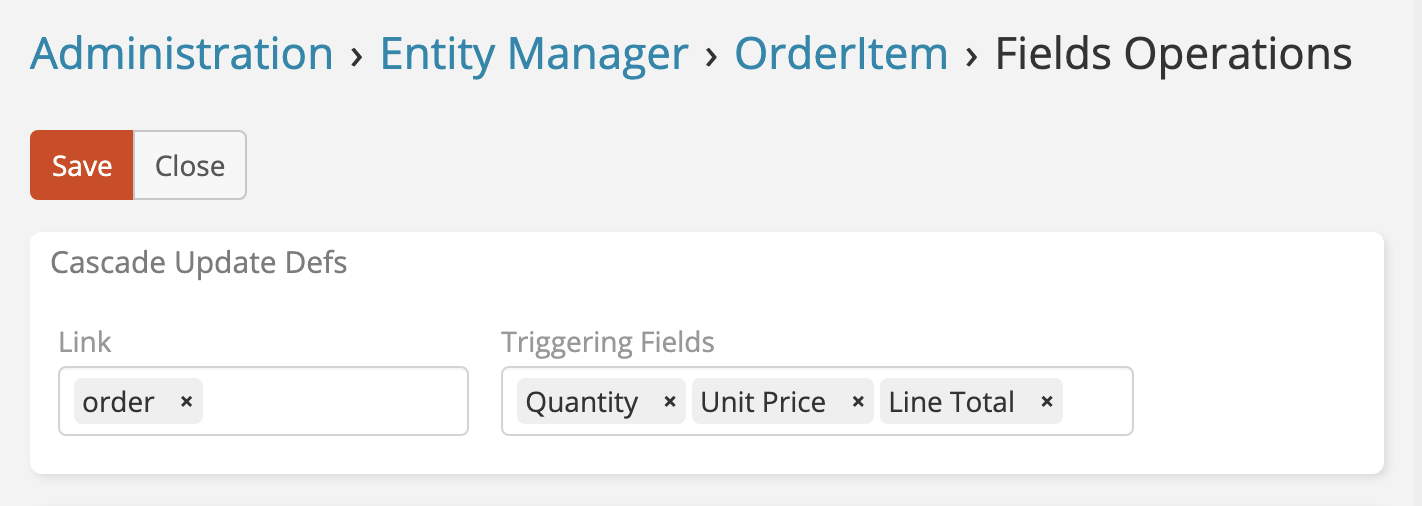
3) Cascade Remove
Select links that should be removed automatically when the current record is deleted.
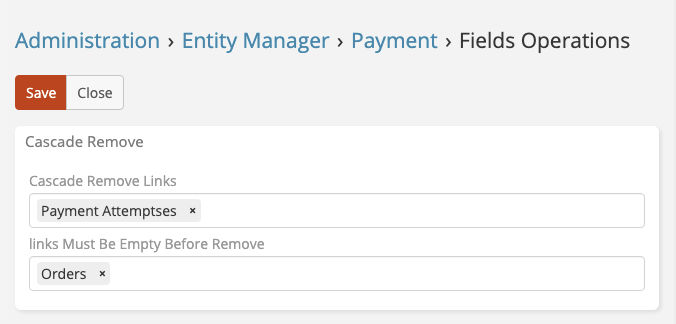
4) Links Must Be Empty Before Remove
Select links that must be empty before deletion is allowed.
Warning
The same link cannot be used in both Cascade Remove and Links Must Be Empty Before Remove at the same time.
Example Scenario
Payment automation example:
Contactselection fillsAccount.Orderslist is filtered by selectedAccountandContact.- Changing
Amounttriggers updates for linkedOrders. - Deleting a Payment can remove linked
Payment Attempts. - Deleting is blocked if protected links still have linked records.
See the full walkthrough: Dynamic Logic Plus Example.
Notes
- The configuration action is admin-only.
- Changes are applied to metadata and become active after normal cache/metadata refresh flows.
Support and Feedback
Need assistance or have suggestions? Contact us through our support portal or email support@eblasoft.com.tr.