Mask Field 
Set an input mask for any existing Varchar field (including phone-like values) and keep entered data consistent. Available here: Ebla Mask Field.
Overview
Ebla Mask Field lets administrators define input masks for Varchar fields in EspoCRM. Masks guide users while typing, prevent incomplete values from being saved, and keep data entry consistent.
Features
- Input Masking: Define a custom mask for any Varchar field.
- Validation: Saving is blocked when a masked value is incomplete.
- Storage Mode: Choose between masked storage (formatted) and unmasked storage (raw characters).
- Display Formatting: Raw values can still be displayed in masked format for readability.
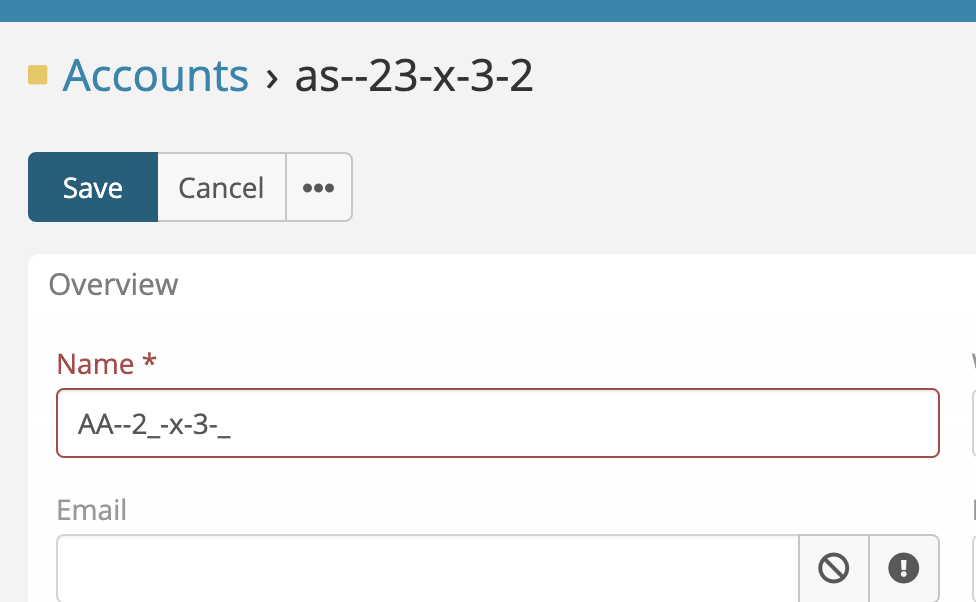 

Quick Setup
To apply a mask on a field:
- Go to Administration > Entity Manager.
- Open the entity (for example, Contact or Account).
- Edit an existing Varchar field (or create a new one).
- Configure:
- Mask: The input pattern.
- Save Unmasked Value: * Enabled: store raw characters only. * Disabled: store the formatted value.
- Save the field and test by creating or editing a record.
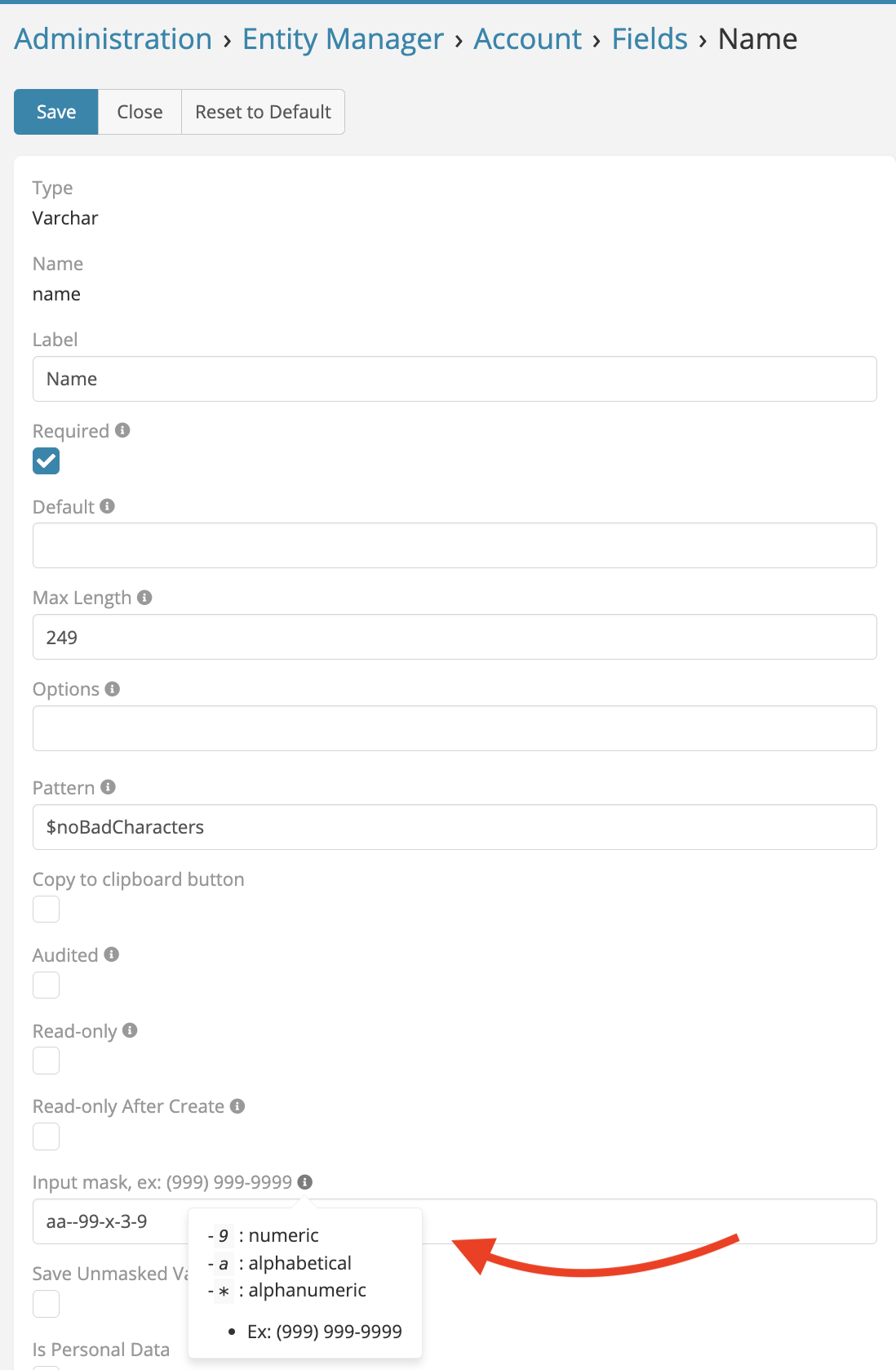
Mask Syntax
Supported mask tokens:
* 9: Numeric (0-9)
* a: Alphabetic (a-z, A-Z)
* *: Alphanumeric (0-9, a-z, A-Z)
Examples:
* Phone: (999) 999-9999
* Date: 99/99/9999
* License Plate: 99-aaa-99
Behavior Notes
- When a field has a mask and contains a value, the extension checks whether the mask is complete before save.
- Validation message shown to users:
"{field}: mask is incomplete." - If Save Unmasked Value is enabled, the database stores raw characters; display can still be formatted by the mask.
Troubleshooting
- If a value cannot be saved, verify all required mask characters are filled.
- If formatting looks unexpected, re-check mask tokens (
9,a,*) and static separators. - After metadata-related changes, rebuild EspoCRM cache/metadata.
License
This extension is the property of Eblasoft Bilişim Ltd. It is not freeware and requires a valid license for use. See the included LICENSE file for full terms.