Telegram Notifications
Use Telegram when you want EspoCRM notifications delivered directly to a user's Telegram chat through a bot.
This is a good option for teams that already work in Telegram and want alerts outside the browser.
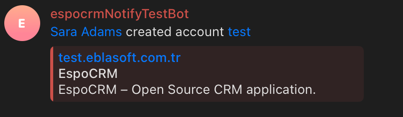
Before you start
To use Telegram delivery, you need:
- a Telegram bot,
- the bot token,
- the bot URL,
- the Telegram integration enabled in EspoCRM,
- a Telegram Chat ID for each user who wants to receive Telegram notifications.
Admin setup
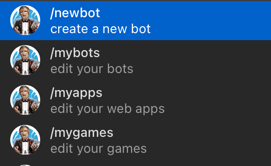
Step 1: Create a Telegram bot
- Open BotFather.
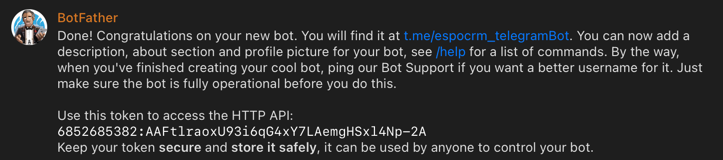
- Create a new bot by following BotFather's instructions.
- Save the bot token and bot URL returned by Telegram.
Step 2: Configure the Telegram integration in EspoCRM
Open Administration → Integrations → Telegram.
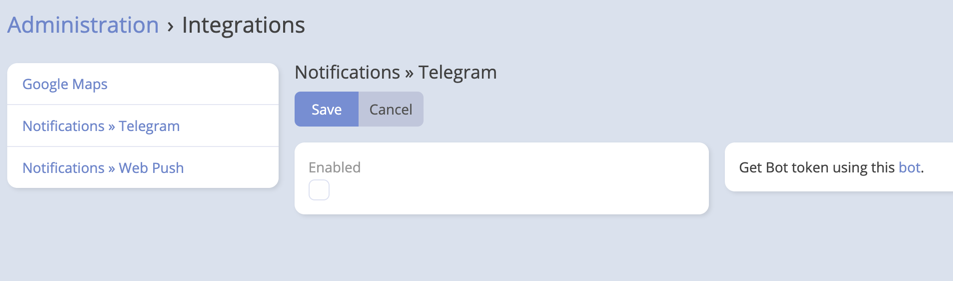
Fill in:
- Bot Token
- Bot URL
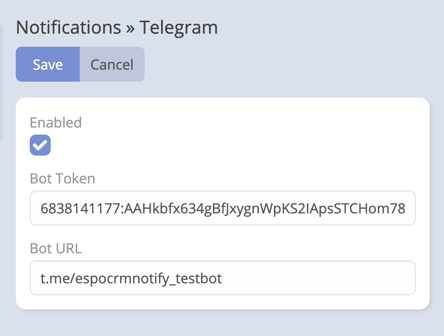
Save and enable the integration.
Step 3: Select Telegram as the notification provider
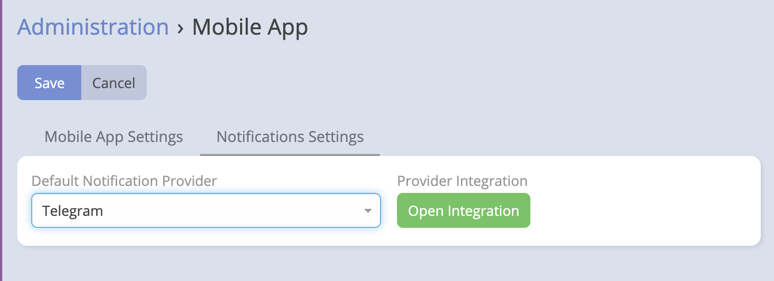
Open Administration → Mobile App → Notifications Settings and set Default Notification Provider to Telegram.
User setup
Each user who wants Telegram delivery must complete their own Notification Preferences.
Step 1: Start the bot in Telegram
Open the bot URL in Telegram and press Start.
This is important because Telegram bots can only message users who have started the bot conversation first.
Step 2: Get your chat ID
One simple option is using @myidbot to read your Telegram chat ID.
Step 3: Save the chat ID in EspoCRM
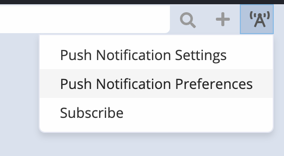
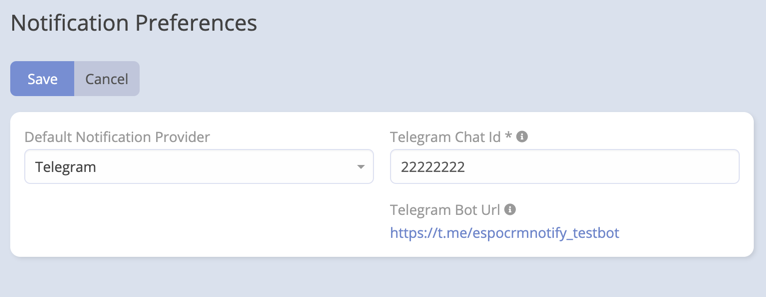
Open Notification Preferences and paste the value into Telegram Chat ID.
User fields explained
| Field | Purpose |
|---|---|
| Default Notification Provider | Lets the user switch to Telegram just for their account, or keep it blank to inherit the system default. |
| Telegram Chat ID | Required for Telegram delivery. |
| Telegram Bot URL | Read-only helper field showing the bot URL configured by the administrator. |
What Telegram delivery supports
- Direct text notifications to the user's Telegram chat.
- Delivery based on the user's active notification provider.
- Reminder notifications when reminders are configured to use the notification channel.
- Media delivery when a notification includes attachments.
If a user has no saved Telegram Chat ID, EspoCRM cannot deliver Telegram notifications for that user.
Troubleshooting
The user does not receive messages
Check these items:
- the Telegram integration is enabled,
- the bot token and bot URL are correct,
- the user pressed Start in the bot chat,
- the user saved the correct Telegram Chat ID,
- Telegram is the active provider globally or for that user.
The bot URL looks different in Notification Preferences
The module stores the bot URL centrally and shows it to users as a read-only helper field in Notification Preferences.
Reminder notifications are missing
Confirm that reminder notifications are configured and that scheduled jobs are running normally in your EspoCRM instance.