Map Route
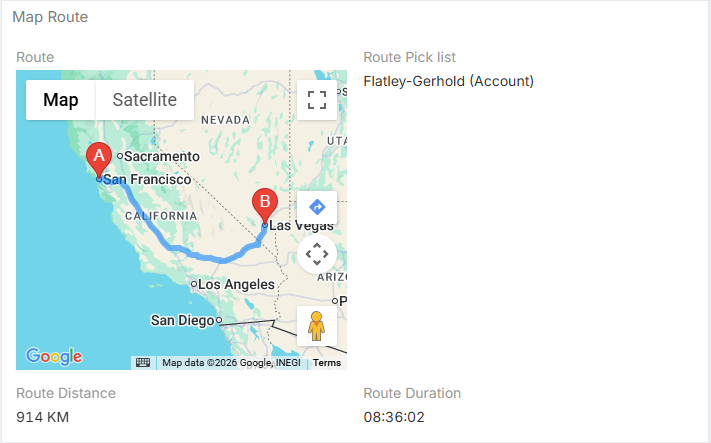
The Map Route field type plots a route between multiple points and stores the calculated distance and duration on the record. It is designed to work with local address fields, fixed coordinates, the user's current location, and manually selected related records.
Generated Sub-Fields
Every Map Route field automatically creates these related fields:
| Sub-field | Description |
|---|---|
Distance |
Stored route distance. Displayed in kilometers or miles according to the global measurement format setting. |
Duration |
Stored route duration shown in HH:MM:SS format. |
Pick List |
Internal list of manually selected route waypoints. |
Field Parameters
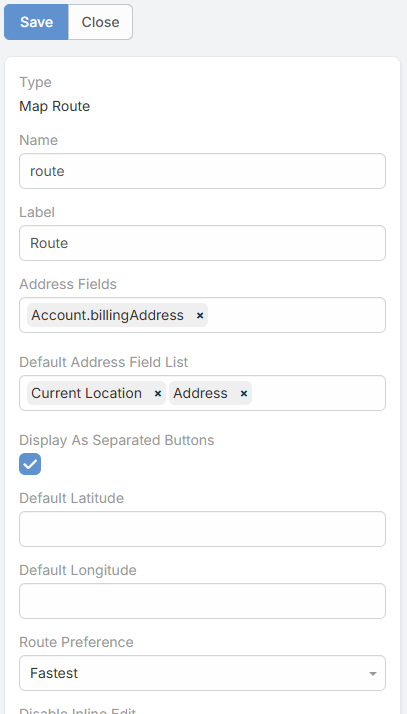
The route field includes the following map-specific parameters:
| Parameter | Description |
|---|---|
Address Fields |
Defines which address fields from any entity types can be selected manually as extra route waypoints. |
Default Address Field List |
Adds local address fields from the current entity to the route automatically. Can also include Current Location. |
Display As Separated Buttons |
Shows separate add buttons for configured address sources instead of a single generic add action. |
Default Latitude |
Fixed default latitude that can act as a route point. |
Default Longitude |
Fixed default longitude paired with Default Latitude. |
Route Preference |
Route mode: Fastest or Shortest. |

How the Route Is Built
When the field renders, the route can be assembled from several sources in this order:
- Current Location, when
Current Locationis included inDefault Address Field List - Fixed default coordinates, when
Default LatitudeandDefault Longitudeare set - Local address fields from the current record, based on
Default Address Field List - Manually selected related records stored in
Pick List
If the final route has fewer than two valid points, no route is drawn.
Selecting Additional Waypoints
The Address Fields parameter lets you select addresses from multiple entity types. The add dialog shows entries in the format:
EntityType.addressField
For each selected record:
- The chosen address field must contain latitude and longitude.
- Duplicate locations are prevented.
- The selected location is stored in the route
Pick List.
Route Preferences
The Route Preference parameter changes how Google directions are requested:
- Fastest uses driving options with live traffic-aware timing.
- Shortest optimizes waypoints and avoids ferries and tolls where possible.
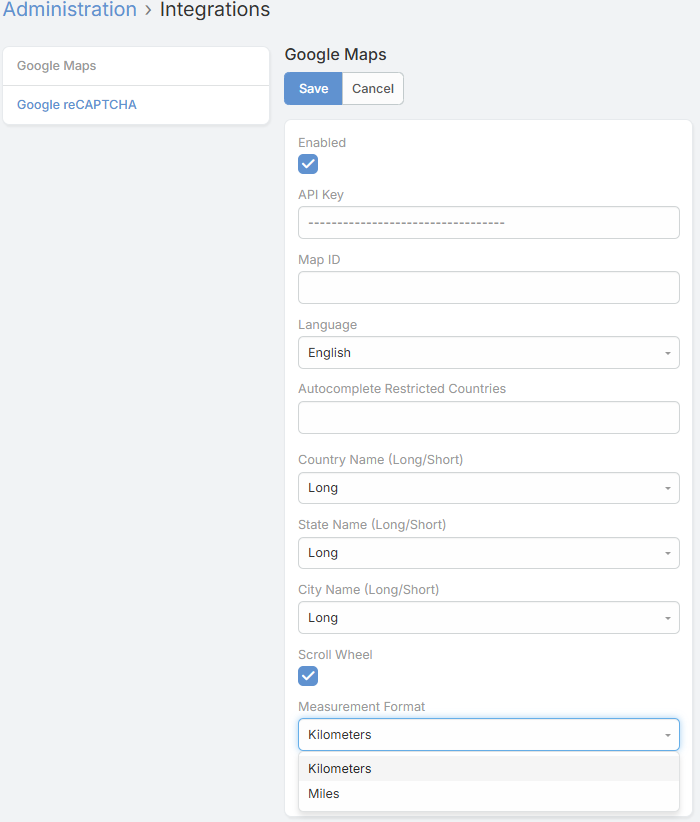
The global Measurement Format integration setting controls whether route distance is shown in kilometers or miles.

Map Actions
The route view includes extra controls beyond static route drawing:
- It recalculates automatically when the
Pick Listchanges. - It writes changed
DistanceandDurationvalues back to the record through the extension API. - It adds a Directions button that opens the current route in Google Maps navigation mode.
Adding a Map Route Field
- Navigate to Administration -> Entity Manager.
- Select the entity type where you want to add routing.
- Click Fields -> Add Field.
- Set Type to Map Route.
- Configure the route parameters described above.
- Save the field.
- Add the route field to the entity layout.
Permissions
Users need edit access to the record for the extension to persist updated distance and duration values.