Map View
The extension adds a Map view mode to entity list views.
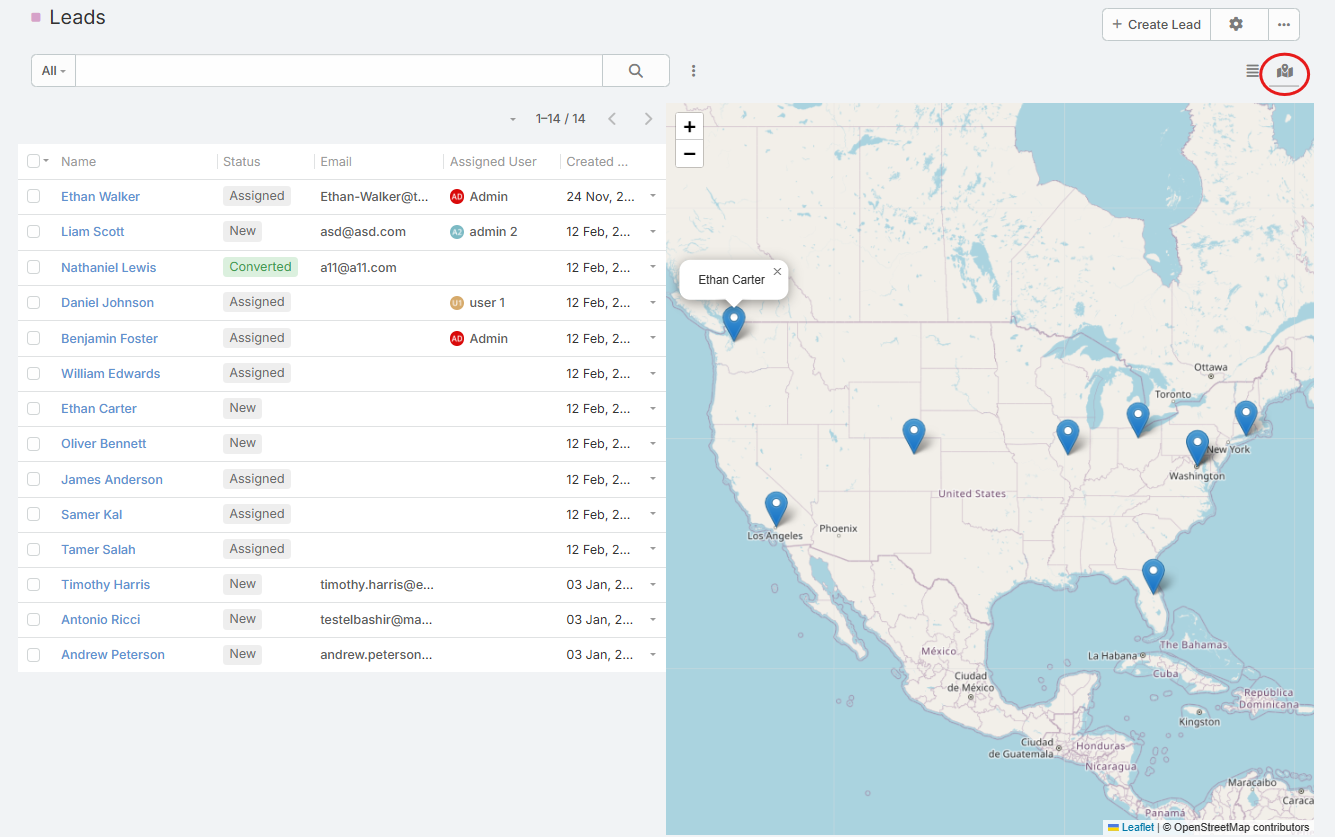
Extension video
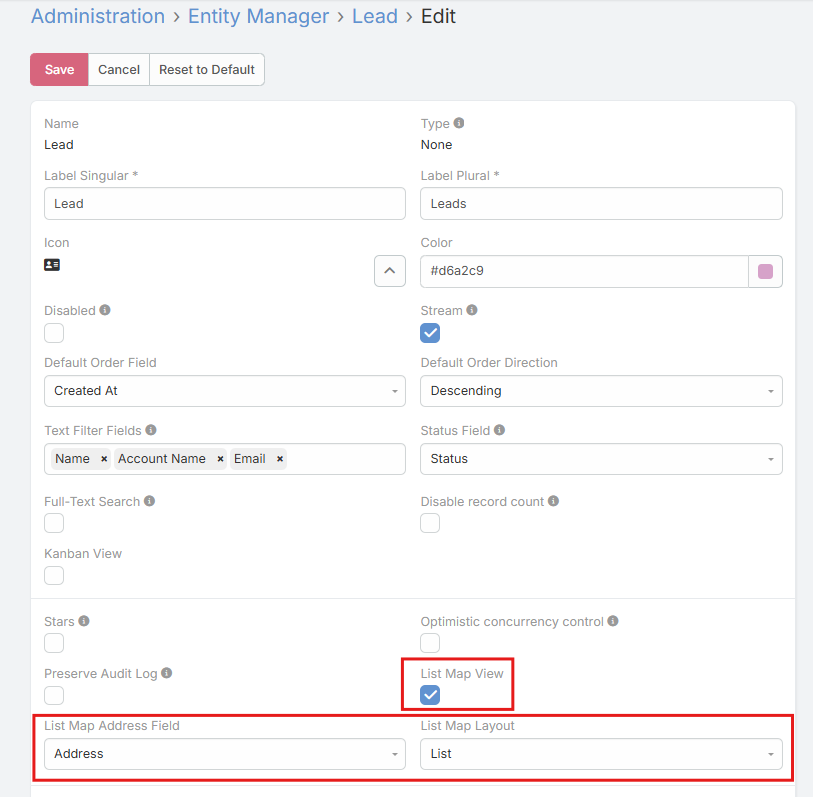
Added Entity Parameters
| Parameter | Description |
|---|---|
List Map View Enabled |
Enables the map view mode for the entity. |
List Map Address Field |
Selects which address field is used to place markers. |
List Map Layout |
Selects which list layout is used with the map view. |
When List Map View is turned on, the other two settings become visible.
How It Works
- The entity list gets a new Map view mode.
- Records with latitude and longitude on the selected address field are shown as markers.
- Clicking a marker opens the record.
- Hovering a marker shows the record name.
- The map automatically fits the visible markers.
- If the selected address field does not have coordinates, the record will not appear on the map.