Polygon Map
The Polygon Map field type lets users draw, edit, and store polygon shapes directly on an EspoCRM record. The field stores polygon data as JSON and supports configurable default center coordinates, search, and fill or stroke styling.
Field Parameters
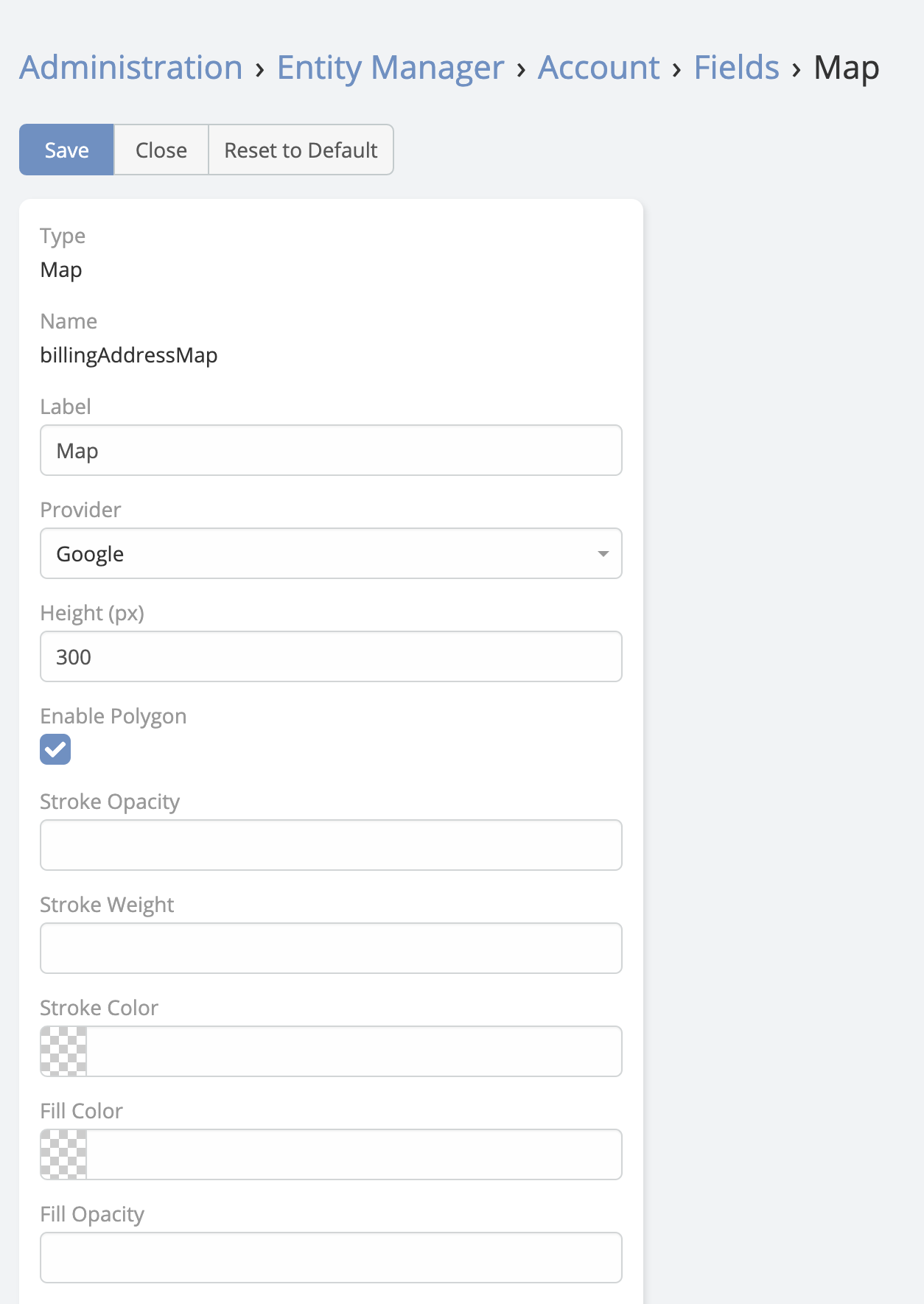
In addition to standard field options such as read-only or audited, Polygon Map supports these map-specific parameters:
| Parameter | Description |
|---|---|
Map Center |
Default center of the map in the format latitude|longitude, for example 40.40|34.50. |
Enable Search |
Shows a Google Places search box so users can move the map to a searched place before drawing. |
Stroke Color |
Polygon border color. |
Fill Color |
Polygon fill color. |
Stroke Opacity |
Polygon border opacity. |
Fill Opacity |
Polygon fill opacity. |
Stroke Weight |
Polygon border width in pixels. |
User Actions
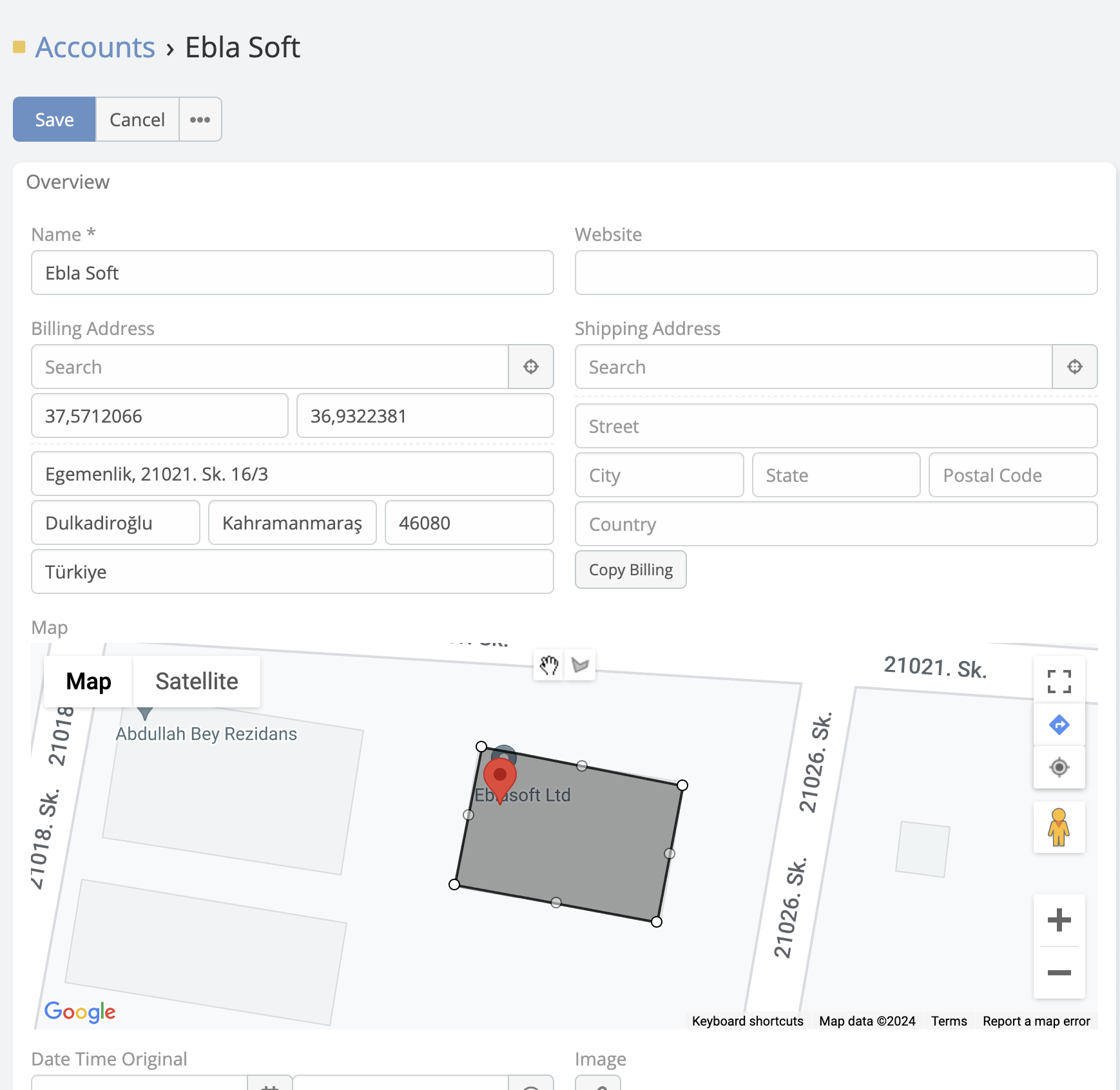
In edit mode, users can:
- Search for a place and recenter the map
- Use the current-location button to move the map to the user's position
- Draw polygons directly on the map
- Drag polygons after drawing them
- Remove vertices with right-click
When no polygon exists yet, the map centers on Map Center and shows a marker at that starting point.
Adding a Polygon Map Field
- Navigate to Administration -> Entity Manager.
- Open the target entity.
- Click Fields -> Add Field.
- Set Type to Polygon Map.
- Configure the field parameters.
- Save the field and add it to the layout.