OpenAI Integration Setup
API Setup
- Go to OpenAI and sign in to your account.
- Press "Create new secret key" to generate a new API key.
- Give it a name and All permissions then press "Create secret key".
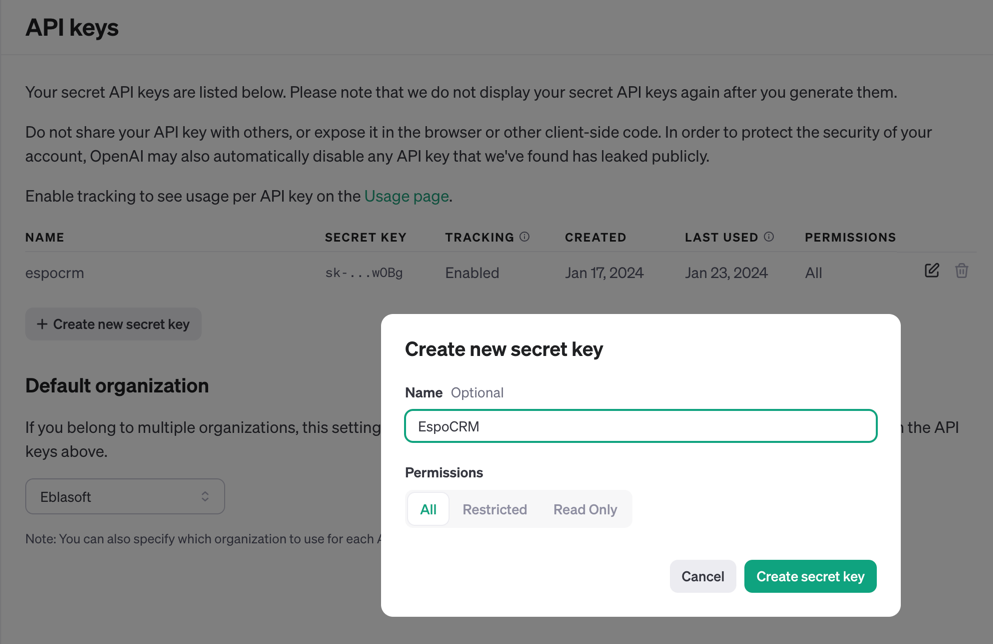
- Copy the API key.
EspoCRM Setup
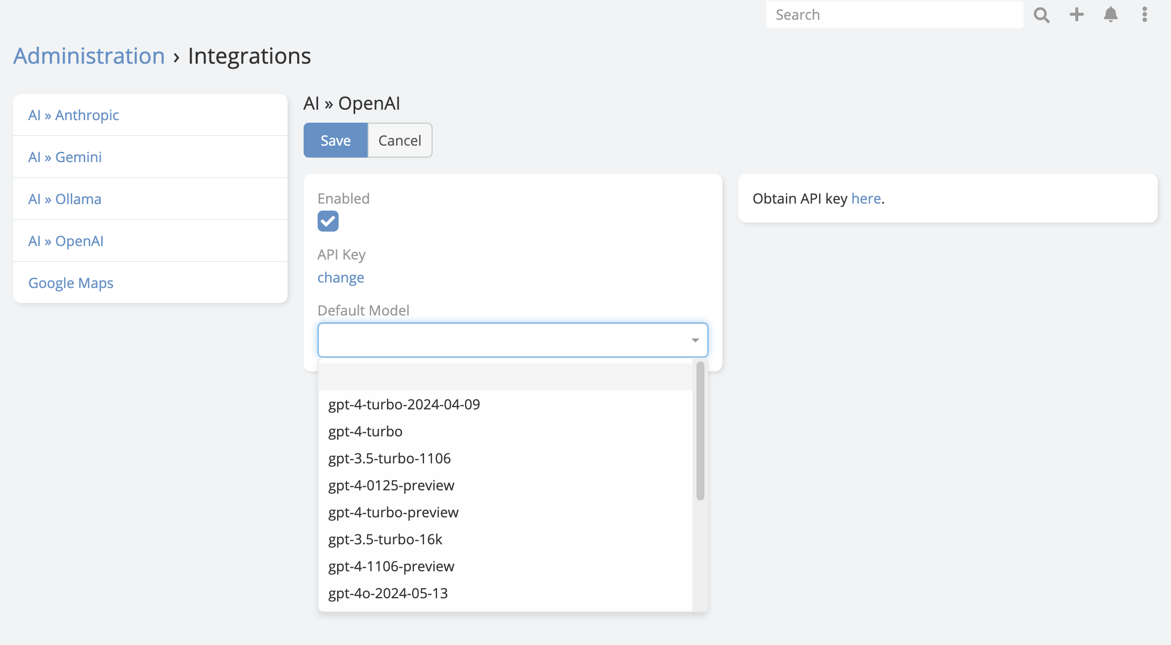
- Navigate to Administration -> Integrations -> OpenAI.
- Paste the API key obtained from OpenAI into API Key field.
-
Choose the default model you want to use.
Final Step in AI Settings
After saving the integration:
- Navigate to Administration -> AI Settings.
- Open the General tab.
- Set Default AI Provider to OpenAI.
- Save.
Important
Configuring the integration alone is not enough. The extension also needs a default provider selected in AI Settings before most AI features become available.
Capability Notes
OpenAI is suitable for:
- Chat and text generation
- Vision analysis
- Image generation
- Speech generation