AI Prompts
AI Prompts are reusable prompt templates stored in EspoCRM. They can be used by several Ebla AI features, including quick field generation, custom prompt dialogs, email translation, AI Summary configuration, formula-based prompt execution, and chat prompt shortcuts.
Video
Default Prompts
On a fresh installation, Ebla AI seeds 13 prompts across general and entity-specific use cases.
Examples include:
- Brief Comment
- Record Summary
- Follow-up Email
- Meeting Preparation
- Approve Reply
- Decline Reply
- Email Summary
- Lead Qualification
- Lead Introduction Email
- Deal Strategy
- Proposal Draft
- Contact Bio
- Account Review
Creating an AI Prompt
- Navigate to Administration → AI Prompts.
- Click Create.
- Enter:
- Name
- Profile (optional)
- Entity Type (optional)
- Context
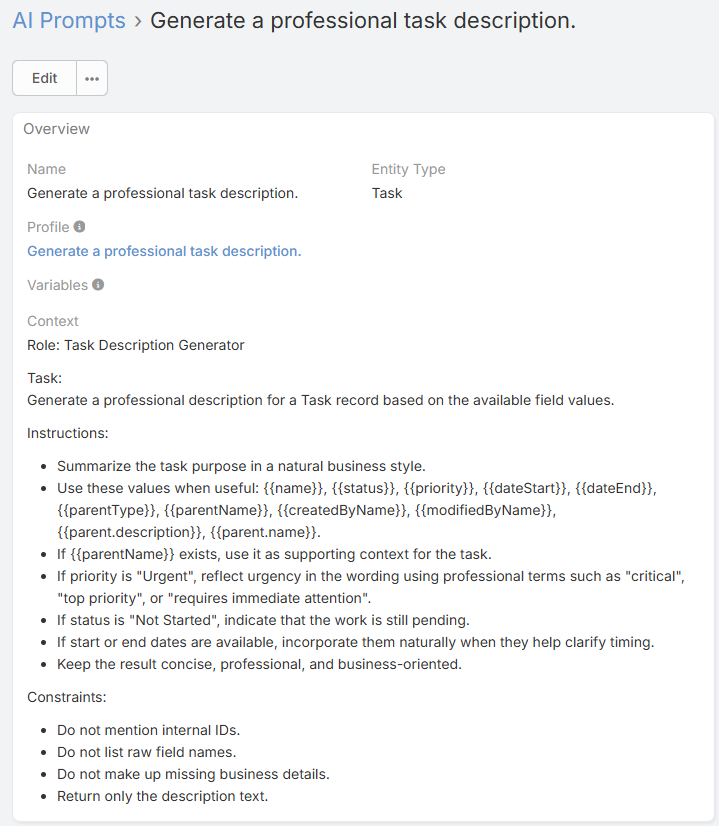
Main Fields
Name
The label shown in prompt selectors and prompt shortcut menus.
Profile
Optional linked AI Profile. When set, features that run this prompt can use that profile as the prompt's preferred execution profile.
Entity Type
Optional. Use it when the prompt is meant for a specific record type such as:
EmailLeadOpportunityContactAccount
Entity-specific prompts can also appear in the AI Chat prompt shortcut menu for that entity.
Context
The actual prompt template text.
Where AI Prompts Are Used
Depending on the feature, AI Prompts can be used in different ways:
- Field quick prompts on text and varchar fields
- Custom AI Generate dialogs
- Record AI Chat prompt shortcut menu
- Email translation default prompt
- AI Summary entity-specific prompt assignment
- Formula execution via
eblaAi\runPrompt
Placeholder and Variable Support
Prompt preparation supports a mix of variable styles depending on where the prompt is used.
Common patterns include:
{{name}}{{description}}{Contact.firstName}{Account.name}%all%%value%
%all%
In supported prompt contexts, %all% inserts the full available data payload for the current record.
%value%
In supported stream or field-generation contexts, %value% represents the current text value being refined.
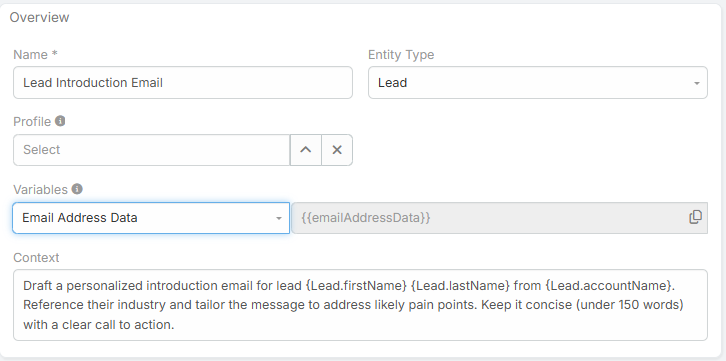
Prompt Variable Helper
The AI Prompt form includes a Variables helper field so you can browse and copy placeholder tokens more easily.
Prompt Scope Strategy
A practical structure is:
- Use global prompts for reusable generic instructions
- Use entity-specific prompts for prompts that depend on record fields or business context
- Link a profile only when the prompt needs a dedicated model or behavior
Example Prompts
Quick Comment
Write a concise one-line professional comment for this record.
Lead Qualification
Analyze this lead and provide a short qualification summary.
Highlight budget signals, urgency, likely next step, and whether the lead is Hot, Warm, or Cold.
Stream Comment Improvement
Improve the following stream comment while keeping the meaning unchanged:

%value%
Best Practices
- Keep prompts focused on one task
- Use entity-specific prompts when record data matters
- Test prompts in the relevant feature flow, not only in isolation
- Use linked profiles only when necessary