Smart Paste
Smart Paste reads copied text from the clipboard, extracts structured values with AI, and fills the matching EspoCRM fields for the target entity.
It is useful for turning business cards, email signatures, copied messages, meeting notes, or other semi-structured text into CRM data quickly.
Video
Requirements
Users need:
AiaccessAi Smart Pasteaccess- A configured default AI provider
- Create access for new-record Smart Paste
Administrators configure visibility in Administration -> AI Settings -> General -> Smart Paste Scopes.
Current scope behavior:
- Empty
Smart Paste Scopesis treated as enabled for all customizable entities in main list and new-record flows. - Relationship-panel behavior may differ if no scopes are explicitly selected.
Where Smart Paste Appears
The current build can show Smart Paste in three places:
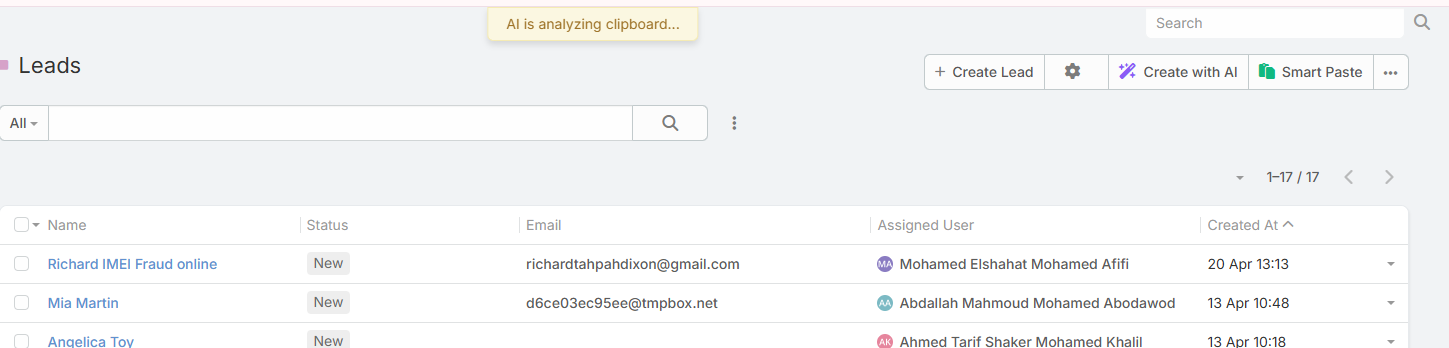
- Main list view headers
- Relationship panel lists
- New-record forms
Current Workflow
Smart Paste does not open a text-entry modal in the current implementation.
Instead, the feature works like this:
- Copy text to your clipboard.
- Click Smart Paste.
- Confirm that the feature should read the clipboard.
- Ebla AI reads the clipboard text and analyzes it against the target entity fields.
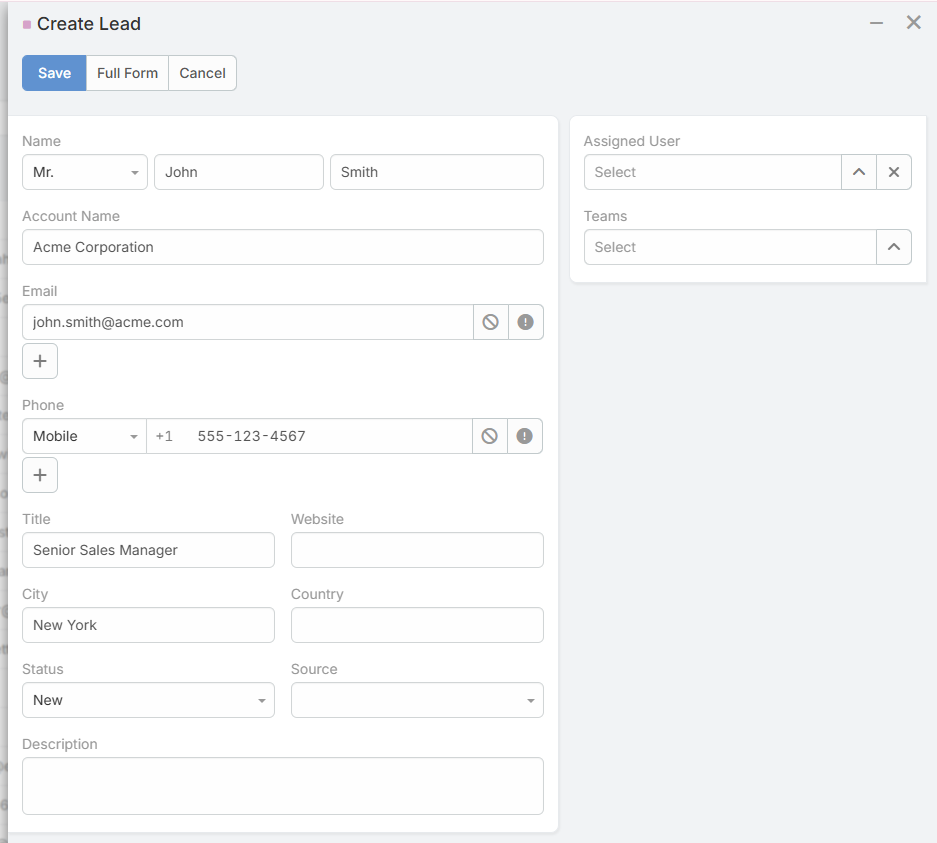
- The result is applied directly to the form, or used to open a pre-filled create form.
Behavior by Location
Main List Views
From a main list page, Smart Paste:
- Reads clipboard text
- Extracts values for the current entity type
- Opens the standard create form with the extracted values pre-filled
Relationship Panels
From a relationship panel list, Smart Paste follows the same flow:
- Reads clipboard text
- Extracts values for the panel entity type
- Opens a create form with pre-filled values
New-Record Forms
When used inside a new-record form, Smart Paste applies the extracted values directly into the current unsaved record instead of opening another form.
There is also a keyboard shortcut:
Ctrl+Alt+V
What Smart Paste Can Fill
Smart Paste works best with standard storable fields such as:
- Text and varchar fields
- Email and phone fields
- Numeric fields
- Date and datetime fields
- Enum and boolean fields
- Address-style fields
The field labels and tooltips are used as part of the AI context, so clear field naming improves extraction quality.
What Smart Paste Does Not Fill Well
The current implementation is not intended for:
- File uploads
- Complex relationship linking
- Advanced multi-record logic
- Guaranteed exact matching for ambiguous input
You should still review the result before saving.
Example
Copied text:
John Smith
Senior Sales Manager
Acme Corporation
john.smith@acme.com
+1 (555) 123-4567
123 Business Ave, Suite 100
New York, NY 10001
Typical result:
- First name
- Last name
- Job title
- Company
- Phone
- Address details
Tips
- Copy the cleanest version of the source text you can
- Semi-structured input usually performs better than noisy paragraphs
- Add helpful field tooltips in Entity Manager for better matching
- Review enum, relationship, and date values carefully before saving