AI Summary Panel
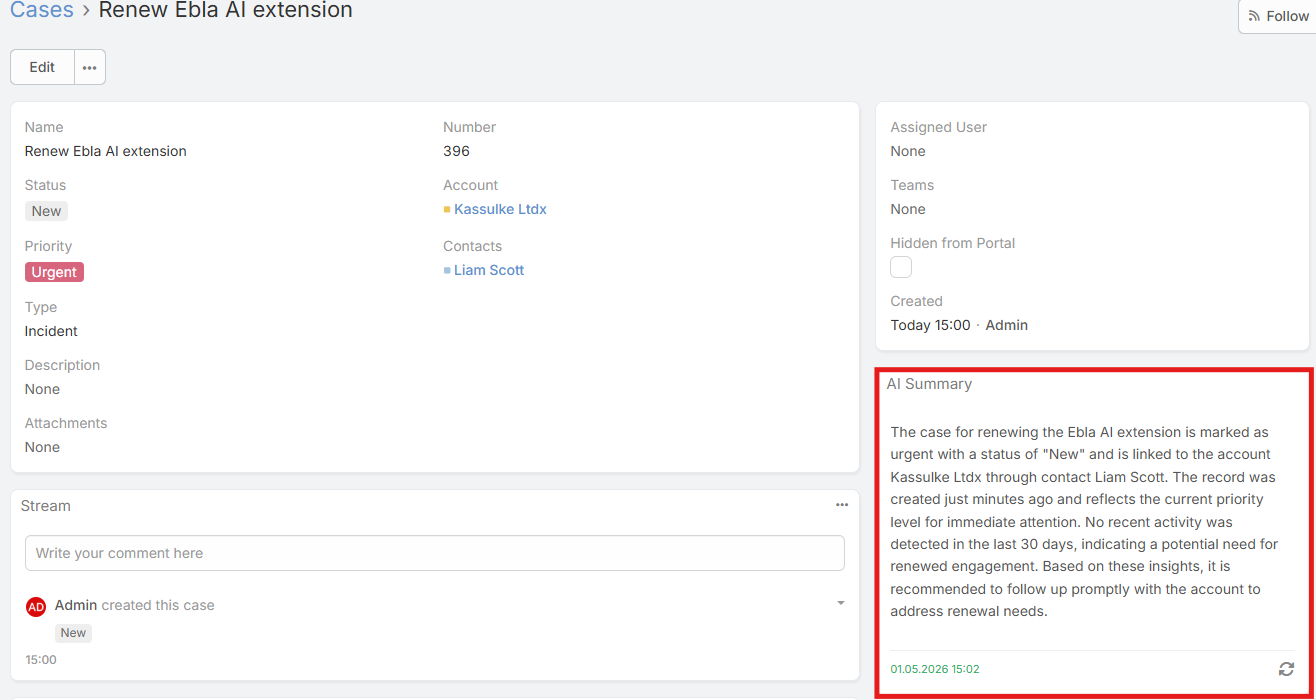
The AI Summary Panel shows an AI-generated summary of the current record in the side panel area of the detail view.
The panel is designed to surface a concise overview of the record using the record fields, recent activity, selected relationships, and recent related communication.
The generated summary is cached in the database.
Video
Requirements
Users need:
Ai Summaryaccess- Read access to the current record
Enabling AI Summary for an Entity
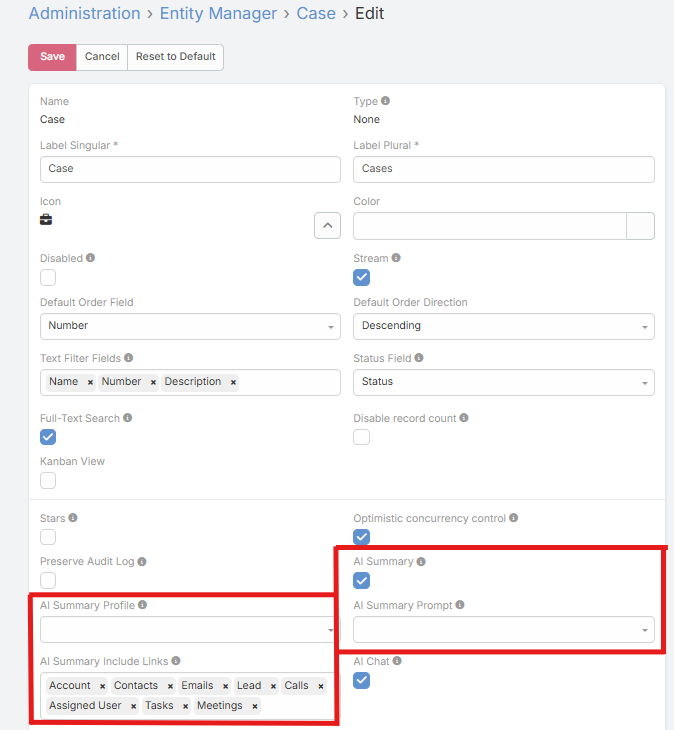
- Navigate to Administration → Entity Manager.
- Open the entity.
- Enable AI Summary.
- Optionally configure:
- AI Summary Profile
- AI Summary Prompt
- AI Summary Include Links
- Save.
First Load Behavior
When the panel opens, it first checks for an existing cached summary.
Current behavior:
- If a cached summary exists, it is displayed immediately
- If no cached summary exists, the panel stays empty until the user clicks the generate button
Generating and Regenerating
First Generation
If no summary exists yet:
- Open the record
- Open the AI Summary panel
- Click Generate Summary
Regenerate
If a summary already exists, the panel can show a regenerate control when:
- The record has changed since the summary was generated
- The current user is an administrator
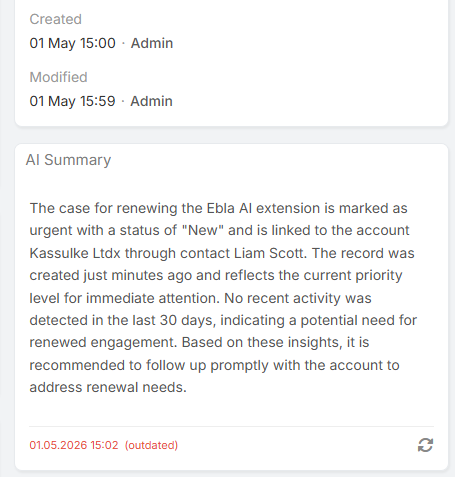
Outdated Indicator
The panel compares:
- The summary generation time
- The record's
modifiedAttimestamp
If the record was modified after the summary was generated, the panel marks the summary as outdated.
What Data Is Included in the Summary Context
The current implementation can include:
- Readable record fields
- Assigned user
- Selected related records from AI Summary Include Links
- Recent stream items
- Recent activities such as Meetings, Calls, and Tasks
- Recent related emails
- Record age and last-updated timing
Prompt and Profile Resolution
Summary generation follows this priority:
Profile
- Entity-specific AI Summary Profile
- AI Summary Default Profile
- Global default AI Profile
Prompt
- Entity-specific AI Summary Prompt
- Admin-level fallback summary prompt if configured
- Built-in default summary prompt
Tips
- Use AI Summary Include Links to keep related-record context focused
- Assign a dedicated summarizer profile for more consistent output
- Add an entity-specific summary prompt if a record type needs a special summary structure