Token Usage Statistics
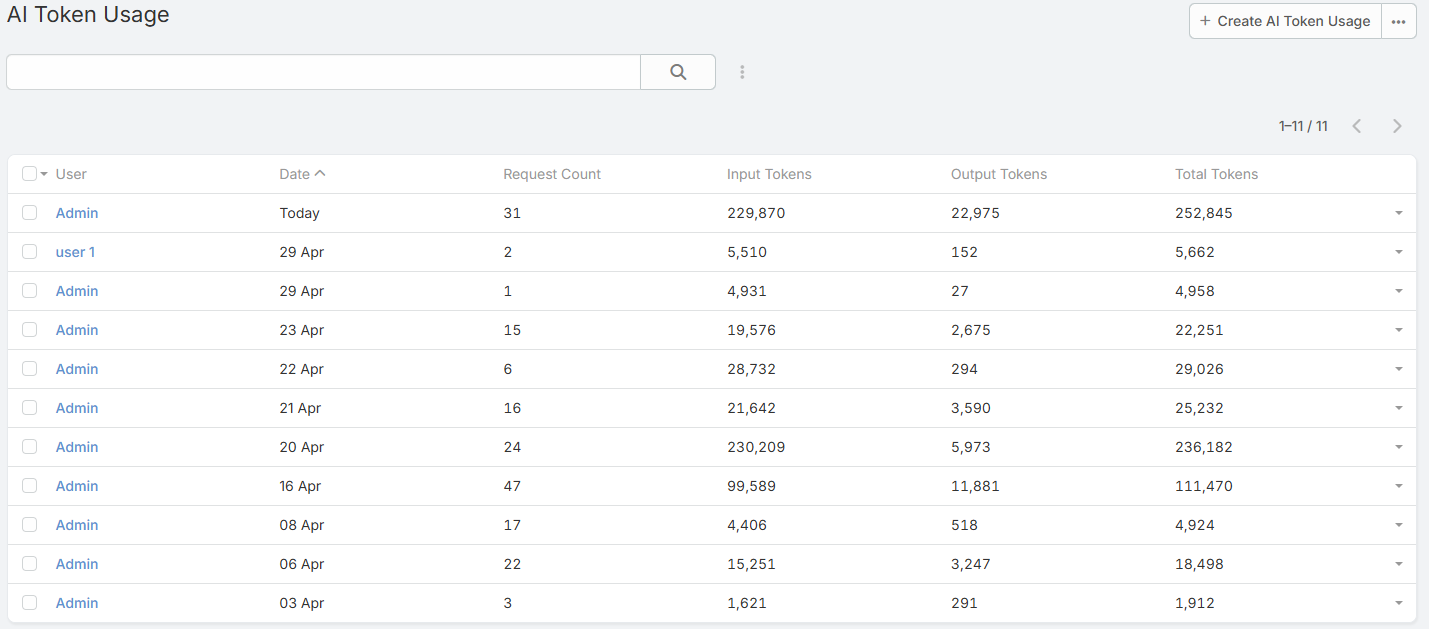
Ebla AI records token usage for AI requests and exposes both aggregate and per-request visibility.
Overview
The extension tracks:
- Input tokens
- Output tokens
- Total tokens
- Request count
Daily aggregate usage is stored in AiTokenUsage.
Per-request details are stored in AiLog.
Viewing Usage
- Navigate to {{siteUrl}}/#AiTokenUsage.
- Review usage by user and date.
- Open AI Log when you need call-level detail.
Token Limits
System-wide limits are configured in:
- Administration -> AI Settings -> Token Limits
Available settings:
- Default Token Limit
- Token Limit Period
- Max Tool-Call Iterations
Per-User Override
Each user record includes AI Monthly Token Limit.
Important clarification:
- The field label says Monthly
- The value actually acts as the user's override for the currently configured limit period
That period may be:
- Daily
- Weekly
- Monthly
Set the field to 0 to fall back to the global default.
Cache Hits and Token Usage
When a request is served from the response cache:
- The response is returned faster
- No new provider call is made
- No new tokens are consumed for that cached request
- The call is still visible in AI Log as a cache hit
This is especially important for repeat analysis and generation requests.
Dashlets
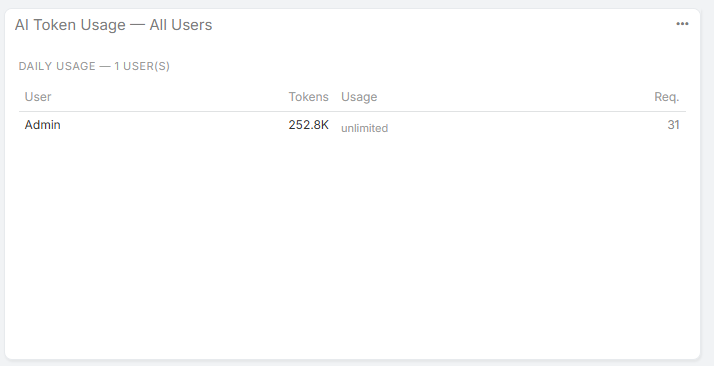
The extension includes token-usage dashlets for dashboards.
Available dashlets:
- My AI Token Usage
- AI Token Usage - All Users
AI Log Relationship
Use AI Log together with AI Token Usage when you need to answer questions such as:
- Which feature consumed the most tokens?
- Was this response cached?
- Which user triggered the request?
- Which profile and provider were used?
Notes
- Administrators are not blocked by token limits
- Limit enforcement happens before new provider calls are made
- Feature usage, cache behavior, and token totals are easier to audit when both AI Log and AI Token Usage are enabled in your admin workflow