AI Email Template Generator
This page covers the AI generation flow inside the Email Template form itself.
Video
Requirements
Users need:
Aiaccess- Create access to
EmailTemplate - A configured default AI provider
Where to Find It
- Open an Email Template create or edit form.
- Click the AI Generate button in the form dropdown list.
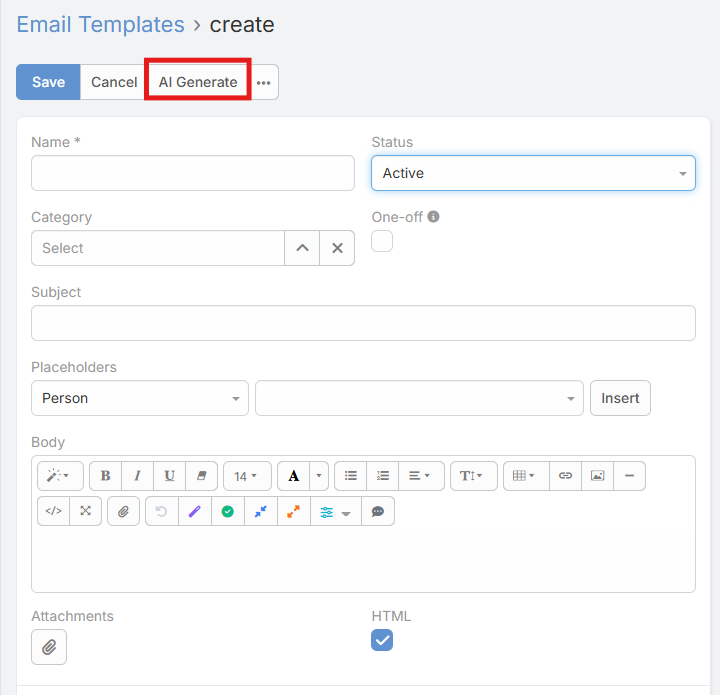
OR
- Open Email Templates.
- Click Generate Email Template in the list view.
Modal Behavior
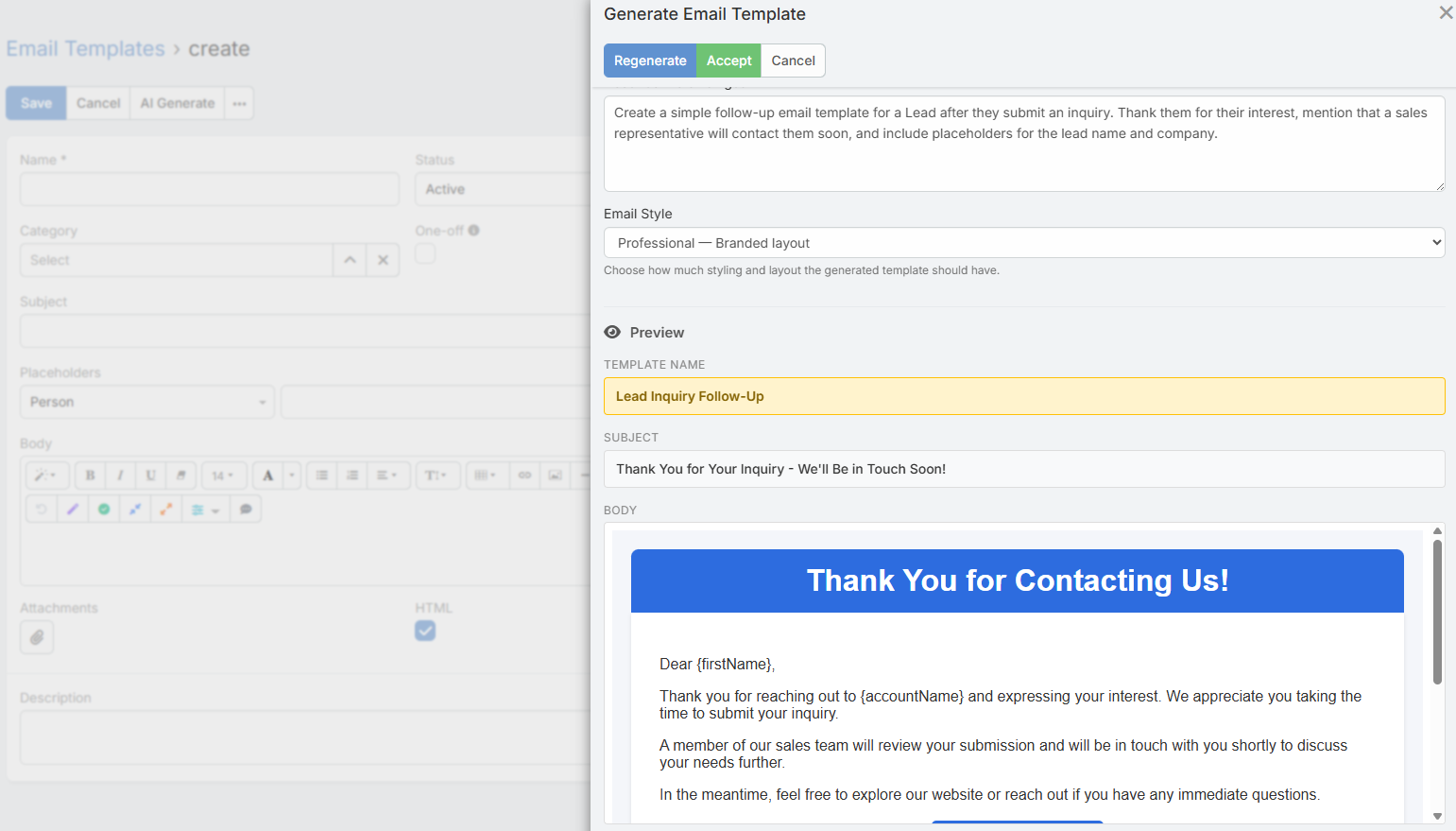
The form-level generator opens the same core generation modal, but it respects the current template form state.
Current behavior:
- It starts with the current template entity type when available
- It respects the template
Is HTMLsetting - It does not expose a profile selector in the current UI
What Gets Filled
After you click Accept, the form is updated with:
- Name if it is currently empty
- Subject
- Body
For plain-text templates, the generated content is applied as plain body text.
For HTML templates, the generated HTML is applied to the WYSIWYG body field.
HTML vs Plain Text
HTML Template
When the template is HTML:
- The style selector is shown in the modal
- The preview is rendered as HTML
- The accepted output fills the HTML body
Plain-Text Template
When the template is not HTML:
- The style selector is hidden
- The output is treated as plain text
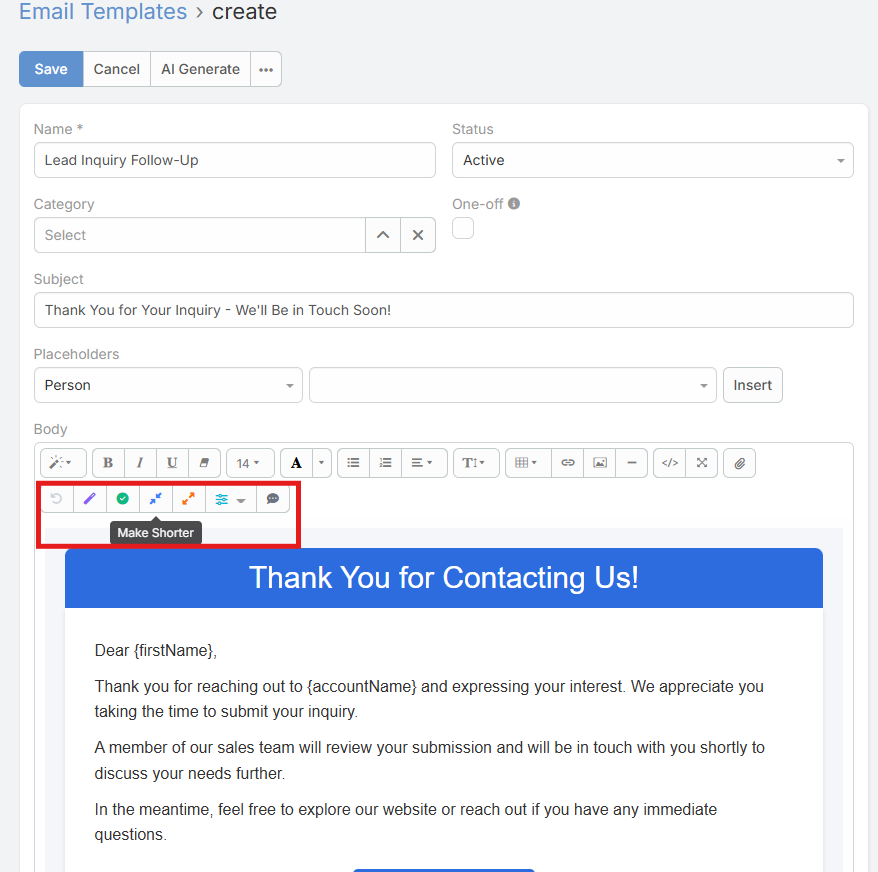
Body Field AI Toolbar
The Email Template body field also has its own lightweight AI refinement toolbar.
Current actions:
- Improve
- Fix Grammar
- Make Shorter